CAT 226B SKID STEER LOADER MJH Operation and Maintenance Manual Page 112
Operation and Maintenance Manual
Improper Attachment of the Work Tool could result in injury
or death.
Do not operate the machine without confirmation that the
coupler pins are fully engaged. Follow the operating
procedures in the Operation and Maintenance Manual.
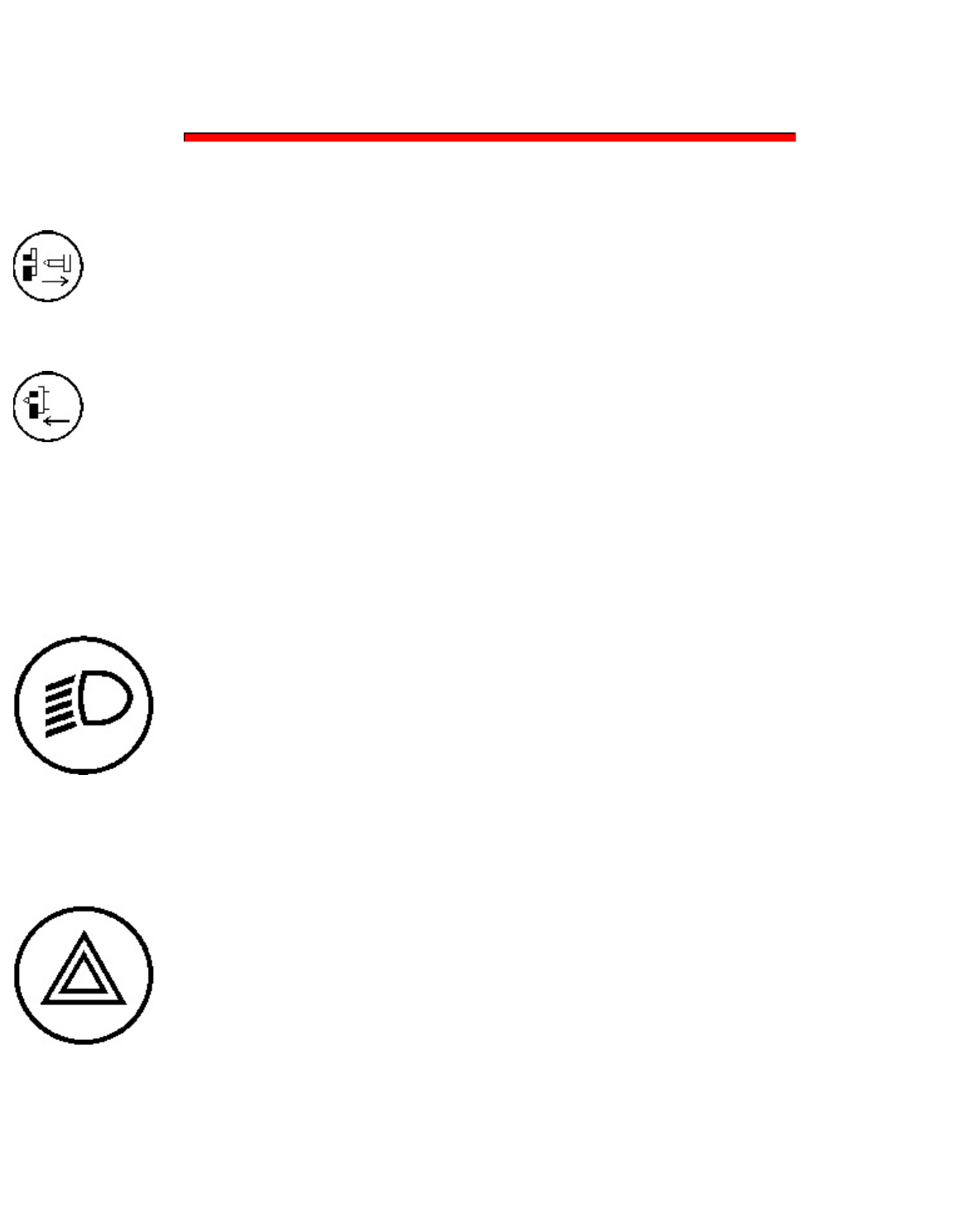
Work Tool Coupler Control - The work tool coupler control controls the engagement of the coupler pins.
Disengaged - Pull the red button
downward and press the bottom of the
switch. Hold the switch in the downward
position until the coupler pins disengage.
Engaged - Press the top of the switch and
hold the top of the switch until the coupler
pins engage.
Refer to Operation and Maintenance Manual, "Work Tool Coupler Operation" for the proper procedure for
the work tool coupler.
Roading Lights (5)
Roading Lights - Move the switch
to the middle position in order to
turn on the control panel lights and
position lights. Press on the bottom
of the switch in order to turn on the
front low beams. Press on the top of
the switch in order to turn off the
lights.
Hazard Flashers (6)
Hazard Flasher Control - Press on
the top of the switch in order to
activate the hazard flashers. Press
on the bottom of the switch in order
to deactivate the hazard flashers.
Hydraulic Lockout and Interlock Override (7)
Hydraulic Lockout - Press the top of the
111
111
Contents Summary of CAT 226B SKID STEER LOADER MJH Operation and Maintenance Manual
- Page 1Media Number -SEBU7731-08 Operation and Maintenance Manual 226B SKID STEER LOADER MJH
- Page 2Operation and Maintenance Manual Foreword Foreword_____________________________________________________________________________________5 Safety Section Safety Messages________________________________________________________________________________8 General Hazard Information_________________________
- Page 3Alert Indicators____________________________________________________________________________________129 Engine Starting____________________________________________________________________________________133 Operation Information________________________________________________________________________
- Page 4Cooling System Coolant Extender (ELC) – Add____________________________________________________________________232 Cooling System Level – Check_________________________________________________________________________________234 Cooling System Water Temperature Regulator – Replace____________________
- Page 5Windows – Clean________________________________________________________________________________________________312 Work Tool – Lubricate____________________________________________________________________________________________313 Work Tool Mounting Bracket – Inspect________________________________
- Page 65 Shutdown SIS Previous Screen Product: SKID STEER LOADER Model: 226B SKID STEER LOADER MJH Configuration: 216B 226B 232B 242B Skid Steer Loader MJH00001-10574 (MACHINE) POWERED BY 3024C Engine Operation and Maintenance Manual Caterpillar Machine Fluids Recommendations Media Number -SEBU6250-15 Publ
- Page 76 Failures that result from extended oil drain periods are not Caterpillar factory defects and therefore are not covered by Caterpillar's warranty. In addition, failures that result from not using the recommended oil type are not Caterpillar factory defects and therefore are not covered by Caterpill
- Page 87 trade name, trademark, or logo in a manner which implies our endorsement of these aftermarket products. Copyright 1993 - 2012 Caterpillar Inc. Sat Jan 28 2012 04:41:11 GMT-0800 ( ( )) All Rights Reserved. Private Network For SIS Licensees. 7
- Page 98 Shutdown SIS Previous Screen Product: SKID STEER LOADER Model: 226B SKID STEER LOADER MJH Configuration: 216B 226B 232B 242B Skid Steer Loader MJH00001-10574 (MACHINE) POWERED BY 3024C Engine Operation and Maintenance Manual 216B, 226B, 232B, 236B, 242B, 246B, 248B, 252B, 262B and 268B Skid Steer
- Page 109 Illustration 2 g01423202 9
- Page 1110 Illustration 3 g01433202 There are several specific safety messages on this machine. The exact location of the hazards and the description of the hazards are reviewed in this section. Please become familiarized with all safety messages. Make sure that all of the safety messages are legible. Clean
- Page 1211 Do Not Operate (1) This warning message is located inside the cab on the upper left side. This warning message is located also on the engine. g01370904 Read and understand the instructions and warnings in the operation and maintenance manuals. Contact any Caterpillar dealer for replacement manual
- Page 1312 g01211895 Structural damage, an overturn, modification, alteration, or improper repair can impair this structure's protection capability thereby voiding this certification. Do not weld on or drill holes in the structure. Consult a Caterpillar dealer to determine this structure's limitations witho
- Page 1413 Failure to follow the instructions or heed the warnings could result in injury or death. Crush Hazard (4) This warning is located on the loader arms of the machines that are equipped with extended reach. g01378775 No clearance for person in this area during operation. Severe injury or death from
- Page 1514 Improper jumper cable connections can cause explosion resulting in personal injury. Batteries may be located in separate compartments, always connect positive (+) cable to positive (+) terminal of battery connected to starter solenoid and negative (-) cable from external source to engine block or
- Page 1615 g01427444 Never permit riders. Never use work tool for a work platform. Failure to follow the instructions or heed the warnings could result in injury or death. Seat Belt (8) This warning message is located below the operator seat. g01370908 A seat belt should be worn at all times during machine
- Page 1716 Refer to Operation and Maintenance Manual, "Seat Belt" for more information. Pressurized System (9) This warning message is located below the radiator cap. g01378799 Pressurized system: Hot coolant can cause serious burn. To open cap, stop engine, wait until radiator is cool. Then loosen cap slow
- Page 1817 g01378775 No clearance for person in this area during operation. Severe injury or death from crushing could occur. Stay away from the work tool while it is in operation. Brace for the Loader Lift Arms (11) This warning message is located on the brace for the loader lift arms. g01427443 Loader lif
- Page 1918 could result in injury or death. Refer to Operation and Maintenance Manual, "Loader Lift Arm Brace Operation" for operating information. Work Tool Coupler (12) This warning message is located inside the cab on the upper left side. g01427447 Improper Attachment of the Work Tool could result in inj
- Page 2019 g01370912 Accumulator may contain high pressure oil. Do not service the accumulator or any hydraulic lines until all of the pressure has been relieved. See the Service Manual for proper procedures. Failure to heed this warning could result in injury or death. Aerosol Starting Aid (14) This warnin
- Page 2120 g01370917 This machine is equipped with a Caterpillar Product Link communication device which must be deactivated within 12 m (40 ft) of a blast zone. Failure to do so could result in serious injury or death. Multipurpose Bucket (16) These warning messages are located on the front of the multipur
- Page 2221 Utility Fork (17) These warning messages are located on top of the fork carriage. g01381064 No clearance for person in this area during operation. Severe injury or death from impalement could occur. Stay away from the work tool while it is in operation. Industrial Grapple Fork (18) These warning
- Page 2322 g01381064 No clearance for person in this area during operation. Severe injury or death from impalement could occur. Stay away from the work tool while it is in operation. Angle Blade (19) These warning messages are located on the back side of the blade. g01377717 No clearance for person in this
- Page 2423 g01381064 No clearance for person in this area during operation. Severe injury or death from impalement could occur. Stay away from the work tool while it is in operation. Dozer Blade (21) These warning messages are located on the back side of the blade. g01371644 No clearance for person in this
- Page 2524 Dozer Blade (22) This warning is located on right hand side on the back of the blade. g01370904 DO NOT OPERATE OR WORK ON THIS MACHINE UNLESS YOU HAVE READ AND UNDERSTAND THE INSTRUCTIONS AND WARNINGS IN THE OPERATION AND MAINTENANCE MANUALS. FAILURE TO FOLLOW THE INSTRUCTIONS OR HEED THE WARNING
- Page 2625 g00946617 Falling Hazard - Area may be oily and slippery. Do not step on cylinders. Serious injury or death could occur from a fall. Dozer Blade (24) This warning message is located on top of the dozer blade. g01378775 No clearance for person in this area during operation. Severe injury or death
- Page 2726 Shutdown SIS Previous Screen Product: SKID STEER LOADER Model: 226B SKID STEER LOADER MJH Configuration: 216B 226B 232B 242B Skid Steer Loader MJH00001-10574 (MACHINE) POWERED BY 3024C Engine Operation and Maintenance Manual 216B, 226B, 232B, 236B, 242B, 246B, 248B, 252B, 262B and 268B Skid Steer
- Page 2827 Illustration 2 g00702020 Wear a hard hat, protective glasses, and other protective equipment, as required. Do not wear loose clothing or jewelry that can snag on controls or on other parts of the equipment. Make sure that all protective guards and all covers are secured in place on the equipment.
- Page 2928 Pressurized air and/or water can cause debris and/or hot water to be blown out. This could result in personal injury. When pressurized air and/or pressurized water is used for cleaning, wear protective clothing, protective shoes, and eye protection. Eye protection includes goggles or a protective
- Page 3029 Care must be taken in order to ensure that fluids are contained during performance of inspection, maintenance, testing, adjusting and repair of the equipment. Prepare to collect the fluid with suitable containers before opening any compartment or disassembling any component that contains fluids.
- Page 3130 Use a wet method in order to clean up asbestos materials. A vacuum cleaner that is equipped with a high efficiency particulate air filter (HEPA) can also be used. Use exhaust ventilation on permanent machining jobs. Wear an approved respirator if there is no other way to control the dust. Comply
- Page 3231 Shutdown SIS Previous Screen Product: SKID STEER LOADER Model: 226B SKID STEER LOADER MJH Configuration: 216B 226B 232B 242B Skid Steer Loader MJH00001-10574 (MACHINE) POWERED BY 3024C Engine Operation and Maintenance Manual 216B, 226B, 232B, 236B, 242B, 246B, 248B, 252B, 262B and 268B Skid Steer
- Page 3332 Shutdown SIS Previous Screen Product: SKID STEER LOADER Model: 226B SKID STEER LOADER MJH Configuration: 216B 226B 232B 242B Skid Steer Loader MJH00001-10574 (MACHINE) POWERED BY 3024C Engine Operation and Maintenance Manual 216B, 226B, 232B, 236B, 242B, 246B, 248B, 252B, 262B and 268B Skid Steer
- Page 3433 Shutdown SIS Previous Screen Product: SKID STEER LOADER Model: 226B SKID STEER LOADER MJH Configuration: 216B 226B 232B 242B Skid Steer Loader MJH00001-10574 (MACHINE) POWERED BY 3024C Engine Operation and Maintenance Manual 216B, 226B, 232B, 236B, 242B, 246B, 248B, 252B, 262B and 268B Skid Steer
- Page 3534 Do not operate a machine with a fluid leak. Repair leaks and clean up fluids before resuming machine operation. Fluids that are leaking or spilled onto hot surfaces or onto electrical components can cause a fire. A fire may cause personal injury or death. Remove flammable material such as leaves,
- Page 3635 Illustration 2 g00704059 Use caution when you are fueling a machine. Do not smoke while you are fueling a machine. Do not fuel a machine near open flames or sparks. Always stop the engine before fueling. Fill the fuel tank outdoors. Properly clean areas of spillage. Follow practices for safe fuel
- Page 3736 Illustration 3 g00704135 Caterpillar recommends the following in order to minimize the risk of fire or an explosion related to the battery. Do not operate a machine if battery cables or related parts show signs of wear or damage. Contact your Caterpillar dealer for service. Follow safe procedures
- Page 3837 Discoloration Cuts on the insulation of the cable Fouling Corroded terminals, damaged terminals, and loose terminals Replace damaged battery cable(s) and replace any related parts. Eliminate any fouling, which may have caused insulation failure or related component damage or wear. Ensure that all
- Page 3938 Keep wiring and electrical connections free of debris. Lines, Tubes and Hoses Do not bend high pressure lines. Do not strike high pressure lines. Do not install any lines that are bent or damaged. Use the appropriate backup wrenches in order to tighten all connections to the recommended torque. I
- Page 4039 Leaks may provide fuel for fires. Consult your Caterpillar dealer for repair or for replacement parts. Use genuine Caterpillar parts or the equivalent, for capabilities of both the pressure limit and temperature limit. Ether Ether (if equipped) is commonly used in cold weather applications. Ether
- Page 4140 Shutdown SIS Previous Screen Product: SKID STEER LOADER Model: 226B SKID STEER LOADER MJH Configuration: 216B 226B 232B 242B Skid Steer Loader MJH00001-10574 (MACHINE) POWERED BY 3024C Engine Operation and Maintenance Manual 216B, 226B, 232B, 236B, 242B, 246B, 248B, 252B, 262B and 268B Skid Steer
- Page 4241 Shutdown SIS Previous Screen Product: SKID STEER LOADER Model: 226B SKID STEER LOADER MJH Configuration: 216B 226B 232B 242B Skid Steer Loader MJH00001-10574 (MACHINE) POWERED BY 3024C Engine Operation and Maintenance Manual 216B, 226B, 232B, 236B, 242B, 246B, 248B, 252B, 262B and 268B Skid Steer
- Page 4342 Shutdown SIS Previous Screen Product: SKID STEER LOADER Model: 226B SKID STEER LOADER MJH Configuration: 216B 226B 232B 242B Skid Steer Loader MJH00001-10574 (MACHINE) POWERED BY 3024C Engine Operation and Maintenance Manual 216B, 226B, 232B, 236B, 242B, 246B, 248B, 252B, 262B and 268B Skid Steer
- Page 4443 Shutdown SIS Previous Screen Product: SKID STEER LOADER Model: 226B SKID STEER LOADER MJH Configuration: 216B 226B 232B 242B Skid Steer Loader MJH00001-10574 (MACHINE) POWERED BY 3024C Engine Operation and Maintenance Manual 216B, 226B, 232B, 236B, 242B, 246B, 248B, 252B, 262B and 268B Skid Steer
- Page 4544 Shutdown SIS Previous Screen Product: SKID STEER LOADER Model: 226B SKID STEER LOADER MJH Configuration: 216B 226B 232B 242B Skid Steer Loader MJH00001-10574 (MACHINE) POWERED BY 3024C Engine Operation and Maintenance Manual 216B, 226B, 232B, 236B, 242B, 246B, 248B, 252B, 262B and 268B Skid Steer
- Page 4645 Shutdown SIS Previous Screen Product: SKID STEER LOADER Model: 226B SKID STEER LOADER MJH Configuration: 216B 226B 232B 242B Skid Steer Loader MJH00001-10574 (MACHINE) POWERED BY 3024C Engine Operation and Maintenance Manual 216B, 226B, 232B, 236B, 242B, 246B, 248B, 252B, 262B and 268B Skid Steer
- Page 4746 Shutdown SIS Previous Screen Product: SKID STEER LOADER Model: 226B SKID STEER LOADER MJH Configuration: 216B 226B 232B 242B Skid Steer Loader MJH00001-10574 (MACHINE) POWERED BY 3024C Engine Operation and Maintenance Manual 216B, 226B, 232B, 236B, 242B, 246B, 248B, 252B, 262B and 268B Skid Steer
- Page 4847 This machine is designed to operate in the ambient temperature range of -32 °C (-25 °F) to 43 °C (109.4 °F). Observe all applicable local government regulations when you use the Skid Steer Loader to lift heavy objects. Copyright 1993 - 2012 Caterpillar Inc. Sat Jan 28 2012 03:45:23 GMT-0800 ( ( )
- Page 4948 Shutdown SIS Previous Screen Product: SKID STEER LOADER Model: 226B SKID STEER LOADER MJH Configuration: 216B 226B 232B 242B Skid Steer Loader MJH00001-10574 (MACHINE) POWERED BY 3024C Engine Operation and Maintenance Manual 216B, 226B, 232B, 236B, 242B, 246B, 248B, 252B, 262B and 268B Skid Steer
- Page 5049 Shutdown SIS Previous Screen Product: SKID STEER LOADER Model: 226B SKID STEER LOADER MJH Configuration: 216B 226B 232B 242B Skid Steer Loader MJH00001-10574 (MACHINE) POWERED BY 3024C Engine Operation and Maintenance Manual 216B, 226B, 232B, 236B, 242B, 246B, 248B, 252B, 262B and 268B Skid Steer
- Page 5150 Shutdown SIS Previous Screen Product: SKID STEER LOADER Model: 226B SKID STEER LOADER MJH Configuration: 216B 226B 232B 242B Skid Steer Loader MJH00001-10574 (MACHINE) POWERED BY 3024C Engine Operation and Maintenance Manual 216B, 226B, 232B, 236B, 242B, 246B, 248B, 252B, 262B and 268B Skid Steer
- Page 5251 Height of the working load of the machine - When the working loads are in higher positions, the stability of the machine is reduced. Operated equipment - Be aware of performance features of the equipment in operation and the effects on machine stability. Operating techniques - Keep all attachment
- Page 5352 Shutdown SIS Previous Screen Product: SKID STEER LOADER Model: 226B SKID STEER LOADER MJH Configuration: 216B 226B 232B 242B Skid Steer Loader MJH00001-10574 (MACHINE) POWERED BY 3024C Engine Operation and Maintenance Manual 216B, 226B, 232B, 236B, 242B, 246B, 248B, 252B, 262B and 268B Skid Steer
- Page 5453 Shutdown SIS Previous Screen Product: SKID STEER LOADER Model: 226B SKID STEER LOADER MJH Configuration: 216B 226B 232B 242B Skid Steer Loader MJH00001-10574 (MACHINE) POWERED BY 3024C Engine Operation and Maintenance Manual 216B, 226B, 232B, 236B, 242B, 246B, 248B, 252B, 262B and 268B Skid Steer
- Page 5554 Information Concerning Whole Body Vibration Level This section provides vibration data and a method for estimating the vibration level for skid steer loaders. Note: Vibration levels are influenced by many different parameters. Many items are listed below. Operator training, behavior, mode and str
- Page 5655 1. Use the right type and size of machine, equipment, and attachments. 2. Maintain machines according to the manufacturer's recommendations. a. Tire pressures b. Brake and steering systems c. Controls, hydraulic system and linkages 3. Keep the terrain in good condition. a. Remove any large rocks
- Page 5756 c. Provide breaks in order to reduce long periods of sitting. d. Avoid jumping from the cab. e. Minimize repeated handling of loads and lifting of loads. f. Minimize any shocks and impacts during sports and leisure activities. Sources The vibration information and calculation procedure is based o
- Page 5857 Shutdown SIS Previous Screen Product: SKID STEER LOADER Model: 226B SKID STEER LOADER MJH Configuration: 216B 226B 232B 242B Skid Steer Loader MJH00001-10574 (MACHINE) POWERED BY 3024C Engine Operation and Maintenance Manual 216B, 226B, 232B, 236B, 242B, 246B, 248B, 252B, 262B and 268B Skid Steer
- Page 5958 Protection from flying objects and/or falling objects is required for special applications. Logging applications and demolition applications are two examples that require special protection. A front guard needs to be installed when a work tool that creates flying objects is used. Mesh front guard
- Page 6059 Shutdown SIS Previous Screen Product: SKID STEER LOADER Model: 226B SKID STEER LOADER MJH Configuration: 216B 226B 232B 242B Skid Steer Loader MJH00001-10574 (MACHINE) POWERED BY 3024C Engine Operation and Maintenance Manual 216B, 226B, 232B, 236B, 242B, 246B, 248B, 252B, 262B and 268B Skid Steer
- Page 6160 slopes and uneven ground Rated loads are based upon a standard machine with the following conditions: lubricants full fuel tank 75 kg (165 lb) operator 10 x 16.5 tires on 216B, 226B, and 232B machines 12 x 16.5 tires on 236B, 242B, 246B, 248B, 252B, 262B and 268B machines Rated loads will vary wi
- Page 6261 Number Width 1524 mm (60 1676 mm (66 1829 mm (72 1981 mm (78 inch) inch) inch) inch) Rated 0.36 m 3 (0.47 0.40 m 3 (0.52 0.44 m 3 (0.57 0.48 m 3 (0.62 Volume yd3 ) yd3 ) yd3 ) yd3 ) Bucket 200 kg (441 lb) 216 kg (476 lb) 224 kg (494 lb) 238 kg (525 lb) Weight Models 216B R.O.C 592 kg (1305 582 kg
- Page 6362 268B R.O.C 1206 kg (2659 1195 kg (2635 1191 kg (2626 1183 kg (2608 lb) lb) lb) lb) 216B and 226B (B) 609 mm (2.0 ft) 609 mm (2.0 ft) NR NR 232B (B) 767 mm (2.5 ft) 768 mm (2.5 ft) 768 mm (2.5 ft) NR 242B (B) 733 mm (2.4 ft) 733 mm (2.4 ft) 734 mm (2.4 ft) NR 236B, 246B and (B) 596 mm (2.0 ft) 596
- Page 6463 yd3 ) yd3 ) yd3 ) yd3 ) Bucket 331 kg (730 lb) 349 kg (770 lb) 368 kg (811 lb) 388 kg (855 lb) Weight Models 216B R.O.C 523 kg (1153 512 kg (1129 NR NR lb) lb) 226B R.O.C 560 kg (1235 549 kg (1210 NR NR lb) lb) 226B (1) R.O.C 563 kg (1241 552 kg (1217 NR NR lb) lb) 232B R.O.C 765 kg (1687 755 kg
- Page 6564 232B (B) 775 mm (2.5 ft) 776 mm (2.5 ft) 777 mm (2.5 ft) NR 242B (B) 741 mm (2.4 ft) 742 mm (2.4 ft) 743 mm (2.4 ft) NR 236B, 246B and 248B (B) 600 mm (2.0 ft) 600 mm (2.0 ft) 600 mm (2.0 ft) 600 mm (2.0 ft) 252B, 262B and (B) 860 mm (2.8 ft) 860 mm (2.8 ft) 860 mm (2.8 ft) 860 mm (2.8 ft) 268B 2
- Page 6665 NR NR 236B R.O.C 50% 748 kg 1649 lb 736 kg 1621 lb 723 kg 1593 lb 714 kg 1574 lb R.O.C 50% 791 kg 1743 lb 780 kg 1719 lb 767 kg 1691 lb NR NR 242B HF R.O.C 809 kg 1782 lb 798 kg 1758 lb 785 kg 1731 lb NR NR 50% 246B R.O.C 50% 786 kg 1733 lb 774 kg 1705 lb 761 kg 1677 lb 752 kg 1658 lb 248B R.O.C
- Page 6766 232B R.O.C 897 kg (1978 889 kg (1960 878 kg (1936 871 kg (1920 lb) lb) lb) lb) 236B R.O.C NR 903 kg (1991 892 kg (1967 885 kg (1951 lb) lb) lb) 242B R.O.C 935 kg (2061 928 kg (2046 916 kg (2019 910 kg (2006 lb) lb) lb) lb) 242B (1) R.O.C 954 kg (2103 947 kg (2088 935 kg (2061 929 kg (2048 lb) lb)
- Page 6867 232B (A) 2314 mm (7.6 2314 mm (7.6 2313 mm (7.6 2313 mm (7.6 ft) ft) ft) ft) 242B (A) 2355 mm (7.7 2354 mm (7.7 2353 mm (7.7 2353 mm (7.7 ft) ft) ft) ft) 236B, 246B, 248B (A) 2377 mm (7.8 2377 mm (7.8 2374 mm (7.8 2374 mm (7.8 ft) ft) ft) ft) 252B, 262B and (A) NR 2469 mm (8.1 2465 mm (8.1 2465 m
- Page 6968 246B R.O.C 889 kg (1960 lb) 882 kg (1945 lb) 875 kg (1929 lb) 248B R.O.C 892 kg (1967 lb) 884 kg (1949 lb) 877 kg (1934 lb) 252B R.O.C NR 1197 kg (2639 lb) 1191 kg (2626 lb) 262B R.O.C NR 1197 kg (2639 lb) 1191 kg (2626 lb) 268B R.O.C 1205 kg (2657 lb) 1197 kg (2639 lb) 1191 kg (2626 lb) 216B and
- Page 7069 Rated Volume 0.69 m 3 (0.90 yd3 ) 0.75 m 3 (0.98 yd3 ) 0.81 m 3 (1.06 yd3 ) Bucket Weight 257 kg (566 lb) 272 kg (600 lb) 286 kg (631 lb) Models 216B R.O.C NR NR 605 kg (1334 lb) 226B R.O.C NR NR 645 kg (1422 lb) 226B (1) R.O.C NR NR 648 kg (1429 lb) 232B R.O.C 866 kg (1909 lb) 858 kg (1892 lb) 8
- Page 7170 252B, 262B and 268B (B) 919 mm (3.0 ft) 919 mm (3.0 ft) 919 mm (3.0 ft) 216B and 226B (A) 2063 mm (6.8 ft) 2063 mm (6.8 ft) 2063 mm (6.8 ft) 232B (A) 2214 mm (7.3 ft) 2213 mm (7.3 ft) 2213 mm (7.3 ft) 242B (A) 2253 mm (7.4 ft) 2253 mm (7.4 ft) 2253 mm (7.4 ft) 236B, 246B and 248B (A) 2285 mm (7.5
- Page 7271 252B R.O.C NR 1164 kg (2566 lb) 1157 kg (2551 lb) 262B R.O.C NR 1164 kg (2566 lb) 1157 kg (2551 lb) 268B R.O.C 1172 kg (2584 lb) 1164 kg (2566 lb) 1157 kg (2551 lb) 216B and 226B (B) NR 612 mm (2.0 ft) 612 mm (2.0 ft) 232B (B) 781 mm (2.6 ft) 781 mm (2.6 ft) 782 mm (2.6 ft) 242B (B) 747 mm (2.5 f
- Page 7372 216B R.O.C NR 535 kg (1180 lb) 226B R.O.C NR 573 kg (1263 lb) 226B (2) R.O.C NR 576 kg (1270 lb) 232B R.O.C 783 kg (1726 lb) 776 kg (1711 lb) 236B R.O.C 796 kg (1755 lb) 789 kg (1739 lb) 242B R.O.C 820 kg (1808 lb) 814 kg (1795 lb) 242B (2) R.O.C 839 kg (1850 lb) 832 kg (1834 lb) 246B R.O.C 835 k
- Page 7473 236B, 246B and 248B (A) 2312 mm (7.6 ft) 2312 mm (7.6 ft) 252B, 262B and 268B (A) 2399 mm (7.9 ft) 2399 mm (7.9 ft) ( 1 ) The rated capacity is calculated with a full bucket of dirt. Grasping objects with the grapple will lower the rated capacity. ( 2 ) Machines that are equipped with High Flow H
- Page 7574 The maximum fork height (ground to top face of fork) is given for a pallet fork that is horizontal at maximum lift height. The reach (front tires to front face of fork) is given for a pallet fork that is horizontal maximum reach. Rated loads are based upon a standard machine with the following co
- Page 7675 1070 mm 535 mm 618 kg 644 kg 657 kg 2860 mm 709 mm 194 kg 1412 (42 inch) (21 inch) (1363 lb) (1420 lb) (1448 lb) (9.4 ft) (2.3 ft) (428 lb) 161- 1220 mm 610 mm 587 kg 611 kg 624 kg 203 kg 2437 2860 mm 709 mm (48 inch) (24 inch) (1294 lb) (1347 lb) (1376 lb) (448 lb) (9.4 ft) (2.3 ft) ( 1 ) Machin
- Page 7776 Rated Operating Load with a Utility Fork 216B and 226B Machines R.O.C 216B R.O.C 226B R.O.C Fork Width (B) Weight 226 (1) 165- 1676 mm (66 314 mm (12 500 kg (1102 532 kg (1173 535 kg (1180 195 kg (430 8732 inch) inch) lb) lb) lb) lb) 165- 1829 mm (72 314 mm (12 NR NR NR 217 kg (478 8737 inch) inc
- Page 7877 inch) inch) (2233 lb) (2233 lb) (2233 lb) lb) 165- 1829 mm (72 314 mm (12 1005 kg 1005 kg 1005 kg 217 kg (478 8737 inch) inch) (2216 lb) (2216 lb) (2216 lb) lb) Illustration 3 g00591612 Dimension (B) represents the load center. Table 17 Rated Operating Load with a Utility Grapple Fork 216B and 22
- Page 7978 inch) inch) lb) lb) lb) lb) 165- 1829 mm (72 313.5 mm (12.3 649 kg (1431 680 kg (1499 695 kg (1532 321 kg (708 8728 inch) inch) lb) lb) lb) lb) ( 1 ) Machines that are equipped with High Flow Hydraulics Table 19 Rated Operating Load with a Utility Grapple Fork 236B, 246B and 248B Machines R.O.C 2
- Page 8079 Fork Width (B) Weight 242 (1) 162- 1676 mm (66 279.5 mm (11.0 561 kg (1237 591 kg (1303 606 kg (1336 485 kg (1070 8139 inch) inch) lb) lb) lb) lb) ( 1 ) Machines that are Equipped with High Flow Hydraulics Table 23 Rated Operating Load with a Industrial Grapple Fork 236B, 246B and 248B Machines R
- Page 8180 the chain hook) are given for the highest position of the material handling arm. The rated operating capacity (R.O.C.) is the least amount of weight of the following conditions: 50% of the full static tipping load on a hard, smooth, level surface The minimum lifting capacity The material handling
- Page 8281 Illustration 5 g00656171 Dimension (A) represents the clearance at the full down position from Lifting Point 2. Dimension (a) represents the clearance at the full down position from Lifting Point 1. Dimension (B) represents the clearance at maximum height from Lifting Point 2. Dimension (b) repre
- Page 8382 c c c C C C Minimum Reach 418 mm 418 mm 418 mm 593 mm 593 mm 593 mm (1.3 ft) (1.3 ft) (1.3 ft) (1.9 ft) (1.9 ft) (1.9 ft) d d d D D D Maximum Reach 1615 mm 1614 mm 1614 mm 2069 mm 2067 mm 2066 mm (5.2 ft) (5.2 ft) (5.2 ft) (6.7 ft) (6.7 ft) (6.7 ft) ( 1 ) Machines that are Equipped with High Flow
- Page 8483 (b) (b) (b) (B) (B) (B) Clearance at Maximum Height 4296 mm 4298 mm 4290 mm 4744 mm 4746 mm 4747 mm (14 ft) (14 ft) (14 ft) (15 ft) (15 ft) (15 ft) (c) (c) (c) (C) (C) (C) Minimum Reach 456 mm 456 mm 456 mm 638 mm 638 mm 638 mm (1.5 ft) (1.5 ft) (1.5 ft) (2.1 ft) (2.1 ft) (2.1 ft) (d) (d) (d) (D)
- Page 8584 Shutdown SIS Previous Screen Product: SKID STEER LOADER Model: 226B SKID STEER LOADER MJH Configuration: 216B 226B 232B 242B Skid Steer Loader MJH00001-10574 (MACHINE) POWERED BY 3024C Engine Operation and Maintenance Manual 216B, 226B, 232B, 236B, 242B, 246B, 248B, 252B, 262B and 268B Skid Steer
- Page 8685 number. Also, the engine model number is located on the serial number plate on the engine. This machine is approved for use in environments with no explosive gases. Machine Data Table 2 Sales Model Maximum Machine Length Height Width Weight 216B 2557 mm (101 inch) 1977 mm (78 inch) 1664 mm (66 in
- Page 8786 Shutdown SIS Previous Screen Product: SKID STEER LOADER Model: 226B SKID STEER LOADER MJH Configuration: 216B 226B 232B 242B Skid Steer Loader MJH00001-10574 (MACHINE) POWERED BY 3024C Engine Operation and Maintenance Manual 216B, 226B, 232B, 236B, 242B, 246B, 248B, 252B, 262B and 268B Skid Steer
- Page 8887 Illustration 2 g00902975 257 (1) Machine PIN ____________________ (2) CE Plate PIN ____________________ Model ____________________ Power (kW) ____________________ Weight (kg) ____________________ The engine serial number plate is located on the engine. Engine Serial Number ____________________ En
- Page 8988 Shutdown SIS Previous Screen Product: SKID STEER LOADER Model: 226B SKID STEER LOADER MJH Configuration: 216B 226B 232B 242B Skid Steer Loader MJH00001-10574 (MACHINE) POWERED BY 3024C Engine Operation and Maintenance Manual 216B, 226B, 232B, 236B, 242B, 246B, 248B, 252B, 262B and 268B Skid Steer
- Page 9089 Illustration 1 g00937288 3024 engine 89
- Page 9190 Illustration 2 g00993817 Emission Certification Film for the EPA 3044 engine 90
- Page 9291 Illustration 3 g00995945 Emission Certification Film for the European Union 3044 engine Copyright 1993 - 2012 Caterpillar Inc. Sat Jan 28 2012 03:49:29 GMT-0800 ( ( )) All Rights Reserved. Private Network For SIS Licensees. 91
- Page 9392 Shutdown SIS Previous Screen Product: SKID STEER LOADER Model: 226B SKID STEER LOADER MJH Configuration: 216B 226B 232B 242B Skid Steer Loader MJH00001-10574 (MACHINE) POWERED BY 3024C Engine Operation and Maintenance Manual 216B, 226B, 232B, 236B, 242B, 246B, 248B, 252B, 262B and 268B Skid Steer
- Page 9493 carry tools or supplies when you try to mount the machine or when you try to dismount the machine. Use a hand line to pull equipment onto the platform. Do not use any controls as handholds when you enter the operator compartment or when you exit the operator compartment. Alternate Exit Machines t
- Page 9594 Shutdown SIS Previous Screen Product: SKID STEER LOADER Model: 226B SKID STEER LOADER MJH Configuration: 216B 226B 232B 242B Skid Steer Loader MJH00001-10574 (MACHINE) POWERED BY 3024C Engine Operation and Maintenance Manual 216B, 226B, 232B, 236B, 242B, 246B, 248B, 252B, 262B and 268B Skid Steer
- Page 9695 for a complete list of scheduled maintenance. Refer to the following service interval charts and service intervals for additional maintenance information. 216B, 226B, 236B, 246B, and 248B Service Interval Chart Illustration 1 g01043235 232B, 242B, 252B, 262B, and 268B Service Interval Chart 95
- Page 9796 Illustration 2 g01043341 Service Intervals Engine air filter primary element - Clean the primary air filter element or replace the primary air filter element. The alert indicator for the air filter indicates when servicing is necessary. Engine air filter secondary element - Replace the secondary
- Page 9897 Grease zerk - Lubricate the designated locations after every ten service hours or at the end of each day. Hydraulic oil level check - Check the hydraulic oil level at the sight gauge after every ten service hours or at the end of each day. Engine oil level check - Check the engine oil level after
- Page 9998 every 250 service hours or every year for the 216B, 226B, 232B and 242B machines. Change the engine oil after every 500 service hours or every year for the 236B, 246B, 248B, 252B, 262B and 268B machines. Fuel System Filter/Water Separator Element - Replace the filter after every 500 service hours
- Page 10099 Shutdown SIS Previous Screen Product: SKID STEER LOADER Model: 226B SKID STEER LOADER MJH Configuration: 216B 226B 232B 242B Skid Steer Loader MJH00001-10574 (MACHINE) POWERED BY 3024C Engine Operation and Maintenance Manual 216B, 226B, 232B, 236B, 242B, 246B, 248B, 252B, 262B and 268B Skid Steer
- Page 101100 Illustration 1 g00929616 The opening in the rear of the machine serves as an alternate exit. The window (if equipped) will need to be removed in order to use the alternate exit. The window can be removed by pulling on the ring at the top of the window. This will remove the seal that holds the wi
- Page 102101 RLL 5038-UP SCH 1997-UP Illustration 2 g01398188 If the machine is equipped with a polycarbonate door, the opening (1) in the door may serve as an alternate exit. The window will need to be removed in order to use the alternate exit. The window can be removed by pulling on the ring (2) at the to
- Page 103102 Shutdown SIS Previous Screen Product: SKID STEER LOADER Model: 226B SKID STEER LOADER MJH Configuration: 216B 226B 232B 242B Skid Steer Loader MJH00001-10574 (MACHINE) POWERED BY 3024C Engine Operation and Maintenance Manual 216B, 226B, 232B, 236B, 242B, 246B, 248B, 252B, 262B and 268B Skid Stee
- Page 104103 1. Unfasten the seat belt. Illustration 2 g00932817 2. To remove the slack in outer loop (1) , rotate buckle (2) . This will free the lock bar. This permits the seat belt to move through the buckle. 3. Remove the slack from the outer belt loop by pulling on the buckle. 4. Loosen the other half o
- Page 105104 Illustration 3 g00100713 1. Fasten the seat belt. Pull out on the outer belt loop in order to tighten the seat belt. 2. Adjust the other half of the seat belt in the same manner. 3. If the seat belt does not fit snugly with the buckle in the center, readjust the seat belt. Fastening The Seat Bel
- Page 106105 Illustration 5 g00100717 Pull up on the release lever. This will release the seat belt. Seat Belt Adjustment for Retractable Seat Belts Fastening The Seat Belt Illustration 6 g00867598 Pull seat belt (4) out of the retractor in a continuous motion. Fasten seat belt catch (3) into buckle (2) . Ma
- Page 107106 The retractor will adjust the belt length and the retractor will lock in place. The comfort ride sleeve will allow the operator to have limited movement. Releasing The Seat Belt Illustration 7 g00039113 Push the release button on the buckle in order to release the seat belt. The seat belt will a
- Page 108107 Shutdown SIS Previous Screen Product: SKID STEER LOADER Model: 226B SKID STEER LOADER MJH Configuration: 216B 226B 232B 242B Skid Steer Loader MJH00001-10574 (MACHINE) POWERED BY 3024C Engine Operation and Maintenance Manual 216B, 226B, 232B, 236B, 242B, 246B, 248B, 252B, 262B and 268B Skid Stee
- Page 109108 Illustration 1 g01014075 (1) Auxiliary Hydraulic Pressure Release (2) Automatic Level Control (3) Auxiliary Electrical Control (4) Work Tool Coupler Control (5) Roading Lights (6) Hazard Flashers (7) Hydraulic Lockout and Interlock Override (8) Beacon Switch (9) Cab Light (10) Glow Plug Starting
- Page 110109 (11) Parking Brake (12) Auxiliary Hydraulic Mode (13) Service Hour Meter (14) Fuel Level Gauge (15) Rear Work Lights (16) Front Work Lights (17) Turn Signals (18) Engine Start Switch (19) Window Wiper and Window Washer (20) Joystick Control (21) Joystick Control (22) Governor Control (23) Fan Sp
- Page 111110 Automatic Level Control (2) Automatic Level Control - The Automatic Level Control maintains the selected angle of the work tool as the loader lift arms are raised. Press on the bottom of the switch in order to activate the automatic level control. Press on the top of the switch in order to deact
- Page 112111 Improper Attachment of the Work Tool could result in injury or death. Do not operate the machine without confirmation that the coupler pins are fully engaged. Follow the operating procedures in the Operation and Maintenance Manual. Work Tool Coupler Control - The work tool coupler control contro
- Page 113112 switch. This will disable the hydraulic functions. Press the top of the switch again in order to activate the hydraulic functions. Note: Activate the hydraulic shutoff when you are roading the machine in order to prevent unplanned movement of the work tool and the loader arms. Interlock Override
- Page 114113 Illustration 3 g00897909 Beacon - Press on the bottom of the switch in order to turn on the beacon. Press the top of the switch in order to turn off the beacon. The receptacle for the beacon is located on the upper left corner on the rear of the cab. Cab Dome Light (9) Cab Dome Light - Press on
- Page 115114 Parking Brake Control - Press on the right side of the switch in order to engage or disengage the parking brake. Note: The parking brake will engage when the engine is stopped. The parking brake will engage when the armrest is moved to the RAISED position. The parking brake will engage when the
- Page 116115 meter should be used to determine service hour maintenance intervals. Fuel Level Gauge (14) Fuel Level Gauge - The needle in the yellow range indicates low fuel. Rear Work Lights (15) Rear Work Lights - Press the left side of the switch in order to turn on the lights. Press the right side of the
- Page 117116 cab lights, panel lights, tail lights, working lights (if equipped) and fuel gauge light are operational even when the engine start switch is in the OFF position. ON - Turn the engine start switch key clockwise to the ON position in order to activate all of the cab circuits. START - Turn the eng
- Page 118117 High Idle Low Idle Fan Speed Control (23) Fan Speed Control Temperature Control (24) Temperature Control Air Conditioner Control (25) Air Conditioner Control Seat Adjustment (26) Seat Adjustment Suspension Seat (27) Suspension Seat 117
- Page 119118 Accelerator Control (28) Accelerator Control - Push down on the accelerator pedal in order to increase engine speed. Release the accelerator pedal in order to decrease engine speed. The accelerator pedal will return to the setting of the governor control. Interlock Control (29) Interlock Control
- Page 120119 is stored in the electronic key. The ECM will then compare this ID to the list of authorized keys. The following table tells the operator the status for starting the machine. The status light is located near the key start switch. Table 1 Green light The machine will start. Red light The key is n
- Page 121120 Illustration 5 g01112439 Instruction Decals B - Instruction Decal for Left Hand Joystick and Instruction Decal for Right Hand Joystick Illustration 6 g01112442 Instruction Decals C - Instruction Decal for Left Hand Joystick and Instruction Decal for Right Hand Joystick with Thumb Wheel Forward F
- Page 122121 Right Turn - Move the joystick to the right in order to turn the machine to the right. Left Turn Left Turn - Move the joystick to the left in order to turn the machine to the left. Dump Dump - Move the joystick to the right in order to tilt the bucket downward. Raise Raise - Pull the joystick ba
- Page 123122 Float - Push the joystick forward into the detent in order for the bucket to follow the contour of the ground. Horn Horn - Press the switch in order to sound the horn. Use the horn in order to alert personnel. Two Speed Control Note: If rabbit mode is selected, the high flow control will not ope
- Page 124123 Standard Auxiliary Connections Illustration 8 g01106740 226B, 242B and 257B High Flow Illustration 9 g01106742 123
- Page 125124 248B, 268B and 287B High Flow Auxiliary Hydraulic Control (A1) - This control provides hydraulic oil flow to the auxiliary connections on the loader arm. Engage the control in order to provide hydraulic oil flow to the connector (K). For high flow work tools, engage the control in order to provi
- Page 126125 Illustration 10 g01107114 Typical electrical connection on the loading arm Auxiliary Electrical Control (C2) - This control provides electrical power in order to control a three-position diverter valve that is located on some work tools. Press the switch and hold the switch in order to send powe
- Page 127126 joystick and release the continuous flow switch. Immediately release the auxiliary hydraulic switch after you release the continuous flow switch. The continuous flow function will be activated if the operator releases the auxiliary hydraulic switch within one second of releasing the continuous f
- Page 128127 Illustration 13 g01112451 Instruction Decals C - Instruction Decal for Left Hand Dual Direction Control Joystick and Instruction Decal for Right Hand Dual Direction Control Joystick with Thumb Wheel Forward Forward - Push both joysticks forward in order to move the machine forward. Reverse Rever
- Page 129128 Float - Move the joystick to the right into the detent in order for the bucket to follow the contour of the ground. Lower Lower - Move the joystick to the right in order to lower the bucket. Raise Raise - Move the joystick to the left in order to raise the bucket. Dump Dump - Move the joystick t
- Page 130129 Shutdown SIS Previous Screen Product: SKID STEER LOADER Model: 226B SKID STEER LOADER MJH Configuration: 216B 226B 232B 242B Skid Steer Loader MJH00001-10574 (MACHINE) POWERED BY 3024C Engine Operation and Maintenance Manual 216B, 226B, 232B, 236B, 242B, 246B, 248B, 252B, 262B and 268B Skid Stee
- Page 131130 Illustration 2 g01015636 Right Side Hydraulic Oil Temperature (1) - This alert indicator will light and an audible alert will sound when the temperature of the hydraulic oil is too high. If this indicator comes on, stop the machine immediately. Stop the engine and investigate the problem. Engine
- Page 132131 Hydraulic Oil Filter (4) - This indicator will light when the hydraulic oil filter is not functioning properly. Stop the machine and replace the oil filter. The indicator will stay on until the hydraulic oil has warmed up. Do not operate the machine until the light turns off. Seat and Armrest (5
- Page 133132 Engine Air Filter (10) - This alert indicator will light if the engine air filter becomes restricted. Rabbit Mode (11) - This alert indicator will light when rabbit mode is selected with the two-speed control. Machine Security System (12) - This alert indicator will light when the machine securi
- Page 134133 Shutdown SIS Previous Screen Product: SKID STEER LOADER Model: 226B SKID STEER LOADER MJH Configuration: 216B 226B 232B 242B Skid Steer Loader MJH00001-10574 (MACHINE) POWERED BY 3024C Engine Operation and Maintenance Manual 216B, 226B, 232B, 236B, 242B, 246B, 248B, 252B, 262B and 268B Skid Stee
- Page 135134 1. Fasten the seat belt. 2. Pull the armrest downward. 3. Move the governor control lever to the low idle position. 4. Before the engine is started, check for the presence of bystanders or maintenance personnel. Ensure that all personnel are clear of the machine. Briefly sound the forward horn b
- Page 136135 7. Release the glow plug switch momentarily. 8. Turn the engine start switch key to the START position in order to start the engine. Press the glow plug switch and hold the switch during engine cranking in order to assist starting. Release the keyand release the glow plug switch after the engine
- Page 137136 Shutdown SIS Previous Screen Product: SKID STEER LOADER Model: 226B SKID STEER LOADER MJH Configuration: 216B 226B 232B 242B Skid Steer Loader MJH00001-10574 (MACHINE) POWERED BY 3024C Engine Operation and Maintenance Manual 216B, 226B, 232B, 236B, 242B, 246B, 248B, 252B, 262B and 268B Skid Stee
- Page 138137 When it is possible, avoid operating the machine across a slope. When it is possible, operate the machine up a slope and down a slope. Never exceed a slope that is greater than 25 degrees for continuous fore/aft slope operation and 35 degrees intermittent fore/aft operation. The 3044 engine has
- Page 139138 Shutdown SIS Previous Screen Product: SKID STEER LOADER Model: 226B SKID STEER LOADER MJH Configuration: 216B 226B 232B 242B Skid Steer Loader MJH00001-10574 (MACHINE) POWERED BY 3024C Engine Operation and Maintenance Manual 216B, 226B, 232B, 236B, 242B, 246B, 248B, 252B, 262B and 268B Skid Stee
- Page 140139 Illustration 1 g00929776 2. If the machine is equipped with a manual coupler, ensure that the levers for the coupler are in the DISENGAGED position. If the machine is equipped with a hydraulic quick coupler refer to Operation and Maintenance Manual, "Operator Controls" for details on the locatio
- Page 141140 Illustration 2 g00929878 8. Align the quick coupler assembly (3) between the outer plates (2) of the mounting bracket. Move the quick coupler assembly under the angled plate (1) of the mounting bracket and rack back the work tool. 9. Fully lower the loader arms. 10. Tilt the work tool forward un
- Page 142141 Illustration 3 g00929831 14. Engage the coupler pins. If the machine is equipped with a manual coupler, ensure that the levers for the coupler are in the ENGAGED position. If the machine is equipped with a hydraulic quick coupler refer to Operation and Maintenance Manual, "Operator Controls" for
- Page 143142 Illustration 4 g00929874 a. Route the hydraulic hoses through the hose guide on the machine in order to prevent damage to the hoses. Not all work tools require the hydraulic hoses to be routed through the hose guide. The work tool Operation and Maintenance Manual will inform you if the hydraulic
- Page 144143 Illustration 5 g01074445 Standard Auxiliary Connection Illustration 6 g01109579 226B, 242B, and 257B with High Flow option 143
- Page 145144 Illustration 7 g01109580 248B, 268B, and 287B with High Flow option d. If the work tool is equipped with electrical lines, then route the electrical lines with the hydraulic hoses and connect the wire harness to the electrical connector (1) on the host machine. Check the connections in order to
- Page 146145 Illustration 8 g01352344 (4) Manual Work Tool Coupler (5) Hydraulic Work Tool Coupler (6) Lever for the Coupler Pin (7) Coupler Pins 16. Visually ensure that both coupler pins are extending out of the holes in the work tool mounting bracket. 17. Use the following procedure to verify engagement o
- Page 147146 b. Fasten the seat belt and lower the armrest. c. Start the engine. d. Disengage the parking brake. e. Keep the work tool close to the ground. f. Activate the tilt control in order to tilt the work tool downward. g. Apply down pressure on the work tool. Note: The work tool Operation and Maintena
- Page 148147 6. Perform Step 7 through Step 12 only after you have released the hydraulic system pressure. 7. Disconnect the auxiliary hydraulic hoses from the machine. Note: If protective caps are available, install protective caps over the quick connect couplers. 8. If hoses are routed through the hose gui
- Page 149148 installation procedure. Refer to Operation and Maintenance Manual, "Operator Controls : Auxiliary Hydraulic Pressure Release". Standard Flow Auxiliary Circuit and the High Flow Auxiliary Circuit (if equipped) Illustration 9 g00902862 Auxiliary quick connectors Illustration 10 g01016223 Auxiliary
- Page 150149 four seconds and release the switch. Note: The pressure in the secondary circuit is not affected by this switch. Note: The operator must remain in the seat with the armrest in the LOWERED position in order for the control to function. 4. Move the engine start switch to the OFF position. Secondar
- Page 151150 Shutdown SIS Previous Screen Product: SKID STEER LOADER Model: 226B SKID STEER LOADER MJH Configuration: 216B 226B 232B 242B Skid Steer Loader MJH00001-10574 (MACHINE) POWERED BY 3024C Engine Operation and Maintenance Manual 216B, 226B, 232B, 236B, 242B, 246B, 248B, 252B, 262B and 268B Skid Stee
- Page 152151 Inspect the material handling arm and the attachments for wear and damage. Ensure that the load is properly attached to the material handling arm before you operate the machine. Note: The physical size and the weight of the load determines the lifting point that is appropriate. Whenever it is po
- Page 153152 Illustration 2 g01020534 5. Keep the loader arms in the fully lowered position. Slowly position the material handling arm until either lifting point 1 or the lifting point 2 is directly above the load. 6. Tilt the material handling arm forward until the hook is slightly higher than the load in o
- Page 154153 Illustration 3 g01020535 14. Wait as the second person installs the position lock pin through the hole in the material handling arm and the hole in the loader arm of the machine. Note: This will prevent the material handling arm from tilting forward. 15. Wait as the second person secures the loa
- Page 155154 the STORED position on the material handling arm. 6. Remove all personnel from the work area. 7. Start the engine. 8. Disengage the parking brake. 9. Lower the load to the ground. 10. Stop the engine. 11. Wait as the second person removes the load from the hook. 12. Remove all personnel from the
- Page 156155 Illustration 4 g01020534 5. Keep the loader arms in the fully lowered position. Slowly position the material handling arm until either lifting point 1 or lifting point 2 is directly above the load. 6. Tilt the material handling arm forward until the hook is slightly higher than the load in order
- Page 157156 Illustration 5 g01020535 14. Install the position lock pin through the hole in the material handling arm and the hole in the loader arm of the machine. 15. Secure the load to the tie-down points with a suitable line in order to minimize load swing. Note: Do not move the load when you are securin
- Page 158157 9. Lower the load to the ground. 10. Stop the engine. Exit the machine. Note: Make sure that the load is stable. 11. Remove the load from the hook. 12. Keep all personnel out of the work area. 13. Enter the machine. Start the engine. 14. Disengage the parking brake. 15. Slowly tilt back the mate
- Page 159158 Shutdown SIS Previous Screen Product: SKID STEER LOADER Model: 226B SKID STEER LOADER MJH Configuration: 216B 226B 232B 242B Skid Steer Loader MJH00001-10574 (MACHINE) POWERED BY 3024C Engine Operation and Maintenance Manual 216B, 226B, 232B, 236B, 242B, 246B, 248B, 252B, 262B and 268B Skid Stee
- Page 160159 Illustration 2 g00955964 The "type 2" pin that is in the unlocked position (1) and the locked position (2) . 1. Put the fork tines in the Unlocked position. Space the fork tines as far as possible from each other. 2. Put the fork tines in the Locked position. 3. Slowly, move the machine into pos
- Page 161160 Shutdown SIS Previous Screen Product: SKID STEER LOADER Model: 226B SKID STEER LOADER MJH Configuration: 216B 226B 232B 242B Skid Steer Loader MJH00001-10574 (MACHINE) POWERED BY 3024C Engine Operation and Maintenance Manual 216B, 226B, 232B, 236B, 242B, 246B, 248B, 252B, 262B and 268B Skid Stee
- Page 162161 Illustration 1 g01109579 226B, 242B and 257B High Flow Illustration 2 g01109580 248B, 268B, 277B and 287B High Flow For all High Flow work tools, refer to Operation and Maintenance Manual, "Joystick and Auxiliary Hydraulic 161
- Page 163162 Controls". Connect the wiring harness to the electrical plug (1) . Note: If your High Flow work tool does not have a wiring harness, a Jumper Plug needs to be installed on the electrical plug (1) for the work tool control. Without this Jumper Plug, the machine will not provide High Flow to the w
- Page 164163 X The blade angles to the right. X X The blade tilts down to the left. X X The blade tilts down to the right. X X The blade tilts down to the left and the blade angles to the left. X X The blade tilts down to the right and the blade angles to the right. Proper operation of the work tool is your
- Page 165164 Shutdown SIS Previous Screen Product: SKID STEER LOADER Model: 226B SKID STEER LOADER MJH Configuration: 216B 226B 232B 242B Skid Steer Loader MJH00001-10574 (MACHINE) POWERED BY 3024C Engine Operation and Maintenance Manual 216B, 226B, 232B, 236B, 242B, 246B, 248B, 252B, 262B and 268B Skid Stee
- Page 166165 Shutdown SIS Previous Screen Product: SKID STEER LOADER Model: 226B SKID STEER LOADER MJH Configuration: 216B 226B 232B 242B Skid Steer Loader MJH00001-10574 (MACHINE) POWERED BY 3024C Engine Operation and Maintenance Manual 216B, 226B, 232B, 236B, 242B, 246B, 248B, 252B, 262B and 268B Skid Stee
- Page 167166 Illustration 1 g00953400 The connector for the 3024 engine Illustration 2 g01017850 The connector for the 3044 engine 4. Unplug the connector for the fuel shutoff solenoid. Note: Do not operate the machine until the malfunction has been corrected. Copyright 1993 - 2012 Caterpillar Inc. Sat Jan 2
- Page 168167 Shutdown SIS Previous Screen Product: SKID STEER LOADER Model: 226B SKID STEER LOADER MJH Configuration: 216B 226B 232B 242B Skid Steer Loader MJH00001-10574 (MACHINE) POWERED BY 3024C Engine Operation and Maintenance Manual 216B, 226B, 232B, 236B, 242B, 246B, 248B, 252B, 262B and 268B Skid Stee
- Page 169168 Personal injury can result from oil under high pressure. DO NOT allow high pressure oil to contact skin. Wear appropriate protective equipment while working with high pressure oil systems. The loader arms must be lowered manually if the accumulator is not charged or if there is no electrical pow
- Page 170169 Illustration 1 g01018070 2. The bypass valve is located in the engine compartment. Slowly turn the square stem on the bypass valve in a clockwise direction. The square stem should be rotated 90 degrees. Allow the loader arms to lower until the work tool is on the ground. 3. Slowly turn the squar
- Page 171170 (BXM2809-UP) (SCP2965-UP) (PDT3618-UP) (MTL3375-UP) (SLK5157-UP) (CYC1210-UP) (MDH4185-UP) (ZSA3476-UP) (SCL1534-UP) (LBA1529-UP) (RLL4081-UP) (SCH1785-UP) Do not go under the raised lift arm without the brace for the loader lift arm in the LOCKED position. Use the alternate exit if the brace fo
- Page 172171 Illustration 2 g01272578 The bypass valve handle is located next to the operator seat on the right side. (1) Seat (2) Armrest (3) Bypass valve handle 1. Pull up on the handle. Push the handle in order to stop the loader arms, if necessary. 2. Allow the loader arms to lower until the work tool is
- Page 173172 Shutdown SIS Previous Screen Product: SKID STEER LOADER Model: 226B SKID STEER LOADER MJH Configuration: 216B 226B 232B 242B Skid Steer Loader MJH00001-10574 (MACHINE) POWERED BY 3024C Engine Operation and Maintenance Manual 216B, 226B, 232B, 236B, 242B, 246B, 248B, 252B, 262B and 268B Skid Stee
- Page 174173 5. Start the engine and run at low idle for approximately 15 minutes in order to allow the calibration fluid to flush the diesel fuel from the system. 6. Turn off the engine. 7. Add .15 mL (0.02 oz) of commercial biocide for every 1 L (0.3 US gal) of calibration fluid to the fuel tank. Seal all
- Page 175174 Shutdown SIS Previous Screen Product: SKID STEER LOADER Model: 226B SKID STEER LOADER MJH Configuration: 216B 226B 232B 242B Skid Steer Loader MJH00001-10574 (MACHINE) POWERED BY 3024C Engine Operation and Maintenance Manual 216B, 226B, 232B, 236B, 242B, 246B, 248B, 252B, 262B and 268B Skid Stee
- Page 176175 Illustration 1 g00040011 1. Before you load the machine chock the trailer wheels or the rail car wheels. Before you unload the machine chock the trailer wheels or the rail car wheels. 2. When you use loading ramps, make sure that the loading ramps have adequate length, adequate width, and adequa
- Page 177176 9. Turn the engine start switch key to the OFF position. Remove the engine start switch key. 10. Move the armrest to the RAISED position. Unfasten the seat belt. 11. Attach any vandalism protection. 12. Refer to the Operation and Maintenance Manual, "Lifting and Tying Down the Machine" for infor
- Page 178177 Shutdown SIS Previous Screen Product: SKID STEER LOADER Model: 226B SKID STEER LOADER MJH Configuration: 216B 226B 232B 242B Skid Steer Loader MJH00001-10574 (MACHINE) POWERED BY 3024C Engine Operation and Maintenance Manual 216B, 226B, 232B, 236B, 242B, 246B, 248B, 252B, 262B and 268B Skid Stee
- Page 179178 Shutdown SIS Previous Screen Product: SKID STEER LOADER Model: 226B SKID STEER LOADER MJH Configuration: 216B 226B 232B 242B Skid Steer Loader MJH00001-10574 (MACHINE) POWERED BY 3024C Engine Operation and Maintenance Manual 216B, 226B, 232B, 236B, 242B, 246B, 248B, 252B, 262B and 268B Skid Stee
- Page 180179 The machine can be lifted with a bucket that is not hydraulic. The machine can be lifted with a pallet fork that is not hydraulic. All other work tools must be removed from the machine before the machine is lifted. Do not allow any personnel in the area around the machine. Lifting from a Single
- Page 181180 Illustration 3 g00930032 Four-point lifting group When the four-point lifting group is used, the chain for each leg should be a minimum of 1 m (3.3 ft) in length. Please refer to the Caterpillar Parts Manual for the current part number for the lifting device for your machine. The parts manuals a
- Page 182181 Illustration 5 g01019063 The two rear eyes (2) are provided for tie-downs. Install tie-downs at all four locations. Place chocks in front of the machine and behind the machine. Consult your Caterpillar dealer for shipping instructions for your machine. Lifting the Grapple Rake Illustration 6 g01
- Page 183182 Shutdown SIS Previous Screen Product: SKID STEER LOADER Model: 226B SKID STEER LOADER MJH Configuration: 216B 226B 232B 242B Skid Steer Loader MJH00001-10574 (MACHINE) POWERED BY 3024C Engine Operation and Maintenance Manual 216B, 226B, 232B, 236B, 242B, 246B, 248B, 252B, 262B and 268B Skid Stee
- Page 184183 Illustration 2 g01019063 The strength of the line should be at least 1.5 times the gross weight of the machine. Provide shielding in order to protect the operator if the line breaks. Attach the line to the towing eyes. Two towing eyes (1) are located on the front of the machine and two towing ey
- Page 185184 Each of the lines (3) must be a minimum of 1.5 m (5.0 ft). NOTICE Do not drag the machine for long distances. Damage to the tracks or the tires may occur. Copyright 1993 - 2012 Caterpillar Inc. Sat Jan 28 2012 03:59:47 GMT-0800 ( ( )) All Rights Reserved. Private Network For SIS Licensees. 184
- Page 186185 Shutdown SIS Previous Screen Product: SKID STEER LOADER Model: 226B SKID STEER LOADER MJH Configuration: 216B 226B 232B 242B Skid Steer Loader MJH00001-10574 (MACHINE) POWERED BY 3024C Engine Operation and Maintenance Manual 216B, 226B, 232B, 236B, 242B, 246B, 248B, 252B, 262B and 268B Skid Stee
- Page 187186 stalled machine to touch the machine that is used as the electrical source. Severely discharged maintenance free batteries do not fully recharge from the alternator after jump starting. The batteries must be charged to proper voltage with a battery charger. Many batteries thought to be unusable
- Page 188187 12. Wait at least two minutes before you attempt to start the stalled machine. This will allow the battery in the stalled machine to partially charge. 13. Attempt to start the stalled engine. Reference: For the correct starting procedure, refer to Operation and Maintenance Manual, "Engine Starti
- Page 189188 Shutdown SIS Previous Screen Product: SKID STEER LOADER Model: 226B SKID STEER LOADER MJH Configuration: 216B 226B 232B 242B Skid Steer Loader MJH00001-10574 (MACHINE) POWERED BY 3024C Engine Operation and Maintenance Manual 216B, 226B, 232B, 236B, 242B, 246B, 248B, 252B, 262B and 268B Skid Stee
- Page 190189 Illustration 2 g01019162 2. Move the retaining pin from the stored position (3) and put the retaining pin in the locked position (4). This will prevent the engine access door from closing inadvertently. 3. In order to close the engine access door, put the retaining pin in the stored position. 4.
- Page 191190 Shutdown SIS Previous Screen Product: SKID STEER LOADER Model: 226B SKID STEER LOADER MJH Configuration: 216B 226B 232B 242B Skid Steer Loader MJH00001-10574 (MACHINE) POWERED BY 3024C Engine Operation and Maintenance Manual 216B, 226B, 232B, 236B, 242B, 246B, 248B, 252B, 262B and 268B Skid Stee
- Page 192191 Illustration 1 g01025254 5. Remove the two front bolts for the ROPS. 6. Close the cab door and ensure that the door is latched. 7. Tilt the cab upward. Stand on the ground when you tilt the cab. Note: More than one person may be needed to tilt the cab. 191
- Page 193192 Illustration 2 g00954946 Illustration 3 g00952728 The cab support lever is in the ENGAGED position. 8. Make sure that the cab support lever is in the ENGAGED position. Tilting the Cab Downward Note: More than one person may be needed to tilt the cab. 1. Ensure that all persons are not under the
- Page 194193 Illustration 4 g00952719 The cab support lever is shown in the DISENGAGED position. 2. Tilt the cab upward. Move the cab support lever to the DISENGAGED position. 3. Tilt the cab downward and install the bolts for the ROPS. Torque the bolts to 125 ± 20 N·m (92 ± 15 lb ft). 4. Remove the supports
- Page 195194 Standard Cab + 152-2682 FOPS 2 (1) Standard Cab + Lifting Brackets (Four Point) 152-2682 + FOPS 2 (1) Standard Cab + 152-2682 Lifting Bracket (Single Point) + + 152-2683 FOPS 2 (1) Standard Cab + 152-2682 Cab Door + + 152-2683 Lifting Brackets (Four Point) ( 1 ) This configuration requires manua
- Page 196195 Shutdown SIS Previous Screen Product: SKID STEER LOADER Model: 226B SKID STEER LOADER MJH Configuration: 216B 226B 232B 242B Skid Steer Loader MJH00001-10574 (MACHINE) POWERED BY 3024C Engine Operation and Maintenance Manual 216B, 226B, 232B, 236B, 242B, 246B, 248B, 252B, 262B and 268B Skid Stee
- Page 197196 Illustration 1 g00930196 2. Remove the pin that holds the lift arm brace in the stored position. 3. Lower the lift arm brace to rest on the cylinder housing. 4. Mount the machine. Secure the seat belt and lower the armrest. Start the engine. 5. Raise the lift arms until the brace falls onto the
- Page 198197 Illustration 3 g00952586 1. Remove the retaining pin from the brace and install the pin (2) in the holding block. 2. Detach and swing the pivot lever (1) clockwise onto the retaining pin. 3. Mount the machine. Secure the seat belt and lower the armrest. Start the engine. Illustration 4 g00952609
- Page 199198 7. Install the pivot lever into the STORED position. Engage the Lift Arm Brace (Extended Lift) 1. Empty the work tool. Remove the work tool. Park the machine on level ground. Raise the lift arms to maximum height. 2. Remain in the seat with the seat belt fastened until the brace is installed. Il
- Page 200199 Illustration 6 g00952659 4. The second person should then install the brace over the rod of one of the lift cylinders. 5. Lower the loader arms slowly until the brace is held tightly between the rod and the cylinder. 6. Secure the two retaining pins through the brace below the rod. Disengage the
- Page 201200 Shutdown SIS Previous Screen Product: SKID STEER LOADER Model: 226B SKID STEER LOADER MJH Configuration: 216B 226B 232B 242B Skid Steer Loader MJH00001-10574 (MACHINE) POWERED BY 3024C Engine Operation and Maintenance Manual 216B, 226B, 232B, 236B, 242B, 246B, 248B, 252B, 262B and 268B Skid Stee
- Page 202201 Illustration 2 g01028581 3. The strut lock is located on the right side or the left side of the engine compartment. Make sure that the strut lock is in the LOCKED position. 4. In order to tilt the radiator downward, push the strut lock to the left. 5. Tilt the radiator downward. Make sure that t
- Page 203202 Illustration 3 g01019340 2. Remove the retaining pin from the radiator guard. Tilt the radiator guard upward. 3. In order to tilt the radiator guard downward, pull down on the radiator guard and install the retaining pin. Copyright 1993 - 2012 Caterpillar Inc. Sat Jan 28 2012 04:24:28 GMT-0800 (
- Page 204203 Shutdown SIS Previous Screen Product: SKID STEER LOADER Model: 226B SKID STEER LOADER MJH Configuration: 216B 226B 232B 242B Skid Steer Loader MJH00001-10574 (MACHINE) POWERED BY 3024C Engine Operation and Maintenance Manual 216B, 226B, 232B, 236B, 242B, 246B, 248B, 252B, 262B and 268B Skid Stee
- Page 205204 122 SAE 10W-40 -18 50 0 15 122 SAE 15W-40 -9.5 50 -40 SAE 0W-20 40 -40 104 SAE 0W-30 -40 40 -40 104 SAE 0W-40 -40 40 -40 104 Cat HYDO SAE 5W-30 -30 40 -22 104 Cat DEO Cat MTO Cat TDTO SAE 5W-40 -30 40 -22 104 Cat TDTO-TMS Cat DEO SYN -4 104 Cat Arctic DEO SYN SAE 10W -20 40 Hydraulic Systems, Ca
- Page 206205 Shutdown SIS Previous Screen Product: SKID STEER LOADER Model: 226B SKID STEER LOADER MJH Configuration: 216B 226B 232B 242B Skid Steer Loader MJH00001-10574 (MACHINE) POWERED BY 3024C Engine Operation and Maintenance Manual 216B, 226B, 232B, 236B, 242B, 246B, 248B, 252B, 262B and 268B Skid Stee
- Page 207206 Hydraulic Tank 35.0 9.3 7.7 Cooling System 12.5 3.3 2.7 Fuel Tank 90.0 23.8 19.8 Each Drive Chain Box 7.5 2.0 1.6 236B, 246B, 248B Each Drive Chain Box 8.0 2.1 1.8 252B, 262B, 268B Copyright 1993 - 2012 Caterpillar Inc. Sat Jan 28 2012 04:24:29 GMT-0800 ( ( )) All Rights Reserved. Private Networ
- Page 208207 Shutdown SIS Previous Screen Product: SKID STEER LOADER Model: 226B SKID STEER LOADER MJH Configuration: 216B 226B 232B 242B Skid Steer Loader MJH00001-10574 (MACHINE) POWERED BY 3024C Engine Operation and Maintenance Manual 216B, 226B, 232B, 236B, 242B, 246B, 248B, 252B, 262B and 268B Skid Stee
- Page 209208 Shutdown SIS Previous Screen Product: SKID STEER LOADER Model: 226B SKID STEER LOADER MJH Configuration: 216B 226B 232B 242B Skid Steer Loader MJH00001-10574 (MACHINE) POWERED BY 3024C Engine Operation and Maintenance Manual 216B, 226B, 232B, 236B, 242B, 246B, 248B, 252B, 262B and 268B Skid Stee
- Page 210209 Shutdown SIS Previous Screen Product: SKID STEER LOADER Model: 226B SKID STEER LOADER MJH Configuration: 216B 226B 232B 242B Skid Steer Loader MJH00001-10574 (MACHINE) POWERED BY 3024C Engine Operation and Maintenance Manual 216B, 226B, 232B, 236B, 242B, 246B, 248B, 252B, 262B and 268B Skid Stee
- Page 211210 Lift Arm and Cylinder Linkage - Lubricate Quick Coupler - Inspect Radiator Core - Clean Seat Belt - Inspect Tilt Cylinder Bearings and Bucket Linkage Bearings - Lubricate Tire Inflation - Check Wheel Nuts - Tighten Work Tool - Lubricate Work Tool Mounting Bracket - Inspect Every 125 Service Hour
- Page 212211 Hydraulic System Oil - Change Every 3000 Service Hours or 2 Years Cooling System Water Temperature Regulator - Replace Every 3 Years After Date of Installation or Every 5 Years After Date of Manufacture Seat Belt - Replace Every 6000 Service Hours or 3 Years Cooling System Coolant Extender (ELC)
- Page 213212 Shutdown SIS Previous Screen Product: SKID STEER LOADER Model: 226B SKID STEER LOADER MJH Configuration: 216B 226B 232B 242B Skid Steer Loader MJH00001-10574 (MACHINE) POWERED BY 3024C Engine Operation and Maintenance Manual 216B, 226B, 232B, 236B, 242B, 246B, 248B, 252B, 262B and 268B Skid Stee
- Page 214213 Shutdown SIS Previous Screen Product: SKID STEER LOADER Model: 226B SKID STEER LOADER MJH Configuration: 216B 226B 232B 242B Skid Steer Loader MJH00001-10574 (MACHINE) POWERED BY 3024C Engine Operation and Maintenance Manual 216B, 226B, 232B, 236B, 242B, 246B, 248B, 252B, 262B and 268B Skid Stee
- Page 215214 Shutdown SIS Previous Screen Product: SKID STEER LOADER Model: 226B SKID STEER LOADER MJH Configuration: 216B 226B 232B 242B Skid Steer Loader MJH00001-10574 (MACHINE) POWERED BY 3024C Engine Operation and Maintenance Manual 216B, 226B, 232B, 236B, 242B, 246B, 248B, 252B, 262B and 268B Skid Stee
- Page 216215 Shutdown SIS Previous Screen Product: SKID STEER LOADER Model: 226B SKID STEER LOADER MJH Configuration: 216B 226B 232B 242B Skid Steer Loader MJH00001-10574 (MACHINE) POWERED BY 3024C Engine Operation and Maintenance Manual 216B, 226B, 232B, 236B, 242B, 246B, 248B, 252B, 262B and 268B Skid Stee
- Page 217216 Illustration 2 g01017632 4. Inspect the condition of the belt (1) and the adjustment of the belt. The belt should deflect 10 mm (0.39 inch) under a straight pull of 44 N (10 lb). This measurement should be taken between the alternator pulley and the crankshaft pulley. Note: A 144-0235 Borroughs
- Page 218217 Shutdown SIS Previous Screen Product: SKID STEER LOADER Model: 226B SKID STEER LOADER MJH Configuration: 216B 226B 232B 242B Skid Steer Loader MJH00001-10574 (MACHINE) POWERED BY 3024C Engine Operation and Maintenance Manual 216B, 226B, 232B, 236B, 242B, 246B, 248B, 252B, 262B and 268B Skid Stee
- Page 219218 Illustration 1 g01161532 (1) Height Adjustment for the Frame (2) Adjusting Bolts (3) Frame The height of the frame may be adjusted in order to compensate for the wear on the cutting edge. The front portion of the frame needs to be lowered as the cutting edge wears. Remove the bolts (2) and lower
- Page 220219 tightness of the joint should be monitored. Shims should be removed when the joint becomes too loose. This may be indicated by excessive movement in the blade. Illustration 2 g01173519 (A) Trunnion Joint (B) Bolts (C) Shims Remove the four retaining bolts (B) and the cap. Remove the necessary sh
- Page 221220 Shutdown SIS Previous Screen Product: SKID STEER LOADER Model: 226B SKID STEER LOADER MJH Configuration: 216B 226B 232B 242B Skid Steer Loader MJH00001-10574 (MACHINE) POWERED BY 3024C Engine Operation and Maintenance Manual 216B, 226B, 232B, 236B, 242B, 246B, 248B, 252B, 262B and 268B Skid Stee
- Page 222221 Shutdown SIS Previous Screen Product: SKID STEER LOADER Model: 226B SKID STEER LOADER MJH Configuration: 216B 226B 232B 242B Skid Steer Loader MJH00001-10574 (MACHINE) POWERED BY 3024C Engine Operation and Maintenance Manual 216B, 226B, 232B, 236B, 242B, 246B, 248B, 252B, 262B and 268B Skid Stee
- Page 223222 Shutdown SIS Previous Screen Product: SKID STEER LOADER Model: 226B SKID STEER LOADER MJH Configuration: 216B 226B 232B 242B Skid Steer Loader MJH00001-10574 (MACHINE) POWERED BY 3024C Engine Operation and Maintenance Manual 216B, 226B, 232B, 236B, 242B, 246B, 248B, 252B, 262B and 268B Skid Stee
- Page 224223 5. Install the seal onto the filter cover and install the filter element. 6. Install the filter cover on the machine. 7. Remove the brace for the loader lift arms and return the brace to the stored position. Refer to Operation and Maintenance Manual, "Loader Lift Arm Brace Operation". Recirculat
- Page 225224 Shutdown SIS Previous Screen Product: SKID STEER LOADER Model: 226B SKID STEER LOADER MJH Configuration: 216B 226B 232B 242B Skid Steer Loader MJH00001-10574 (MACHINE) POWERED BY 3024C Engine Operation and Maintenance Manual 216B, 226B, 232B, 236B, 242B, 246B, 248B, 252B, 262B and 268B Skid Stee
- Page 226225 Illustration 1 g01019673 The fuse panel is located behind the cover underneath the seat. Remove the cover in order to access the fuse panel. Illustration 2 g01430673 Fuses and Relays Fuses (2) Finger Trigger for the Work Tool (3) Front Work Lights (4) Rear Work Lights (5) Left Tail Lamp (6) Righ
- Page 227226 (17) HVAC Blower Fan and the Solenoid for the Compressor (18) Fuel Shutoff solenoid (19) Interlock ECM (20) Beacon (21) Gauges (22) The fan for the air conditioner condenser (23) Ignition Switch (24) Miscellaneous Power (25) Horn (27) Auxiliary Hydraulic C- (28) Auxiliary Hydraulic C+ (29) Auxil
- Page 228227 Illustration 3 g01019607 Circuit Breaker The main circuit breaker is located in the engine compartment on the left side. Press the switch and release the switch in order to reset the circuit breaker. Copyright 1993 - 2012 Caterpillar Inc. Sat Jan 28 2012 04:24:34 GMT-0800 ( ( )) All Rights Reser
- Page 229228 Shutdown SIS Previous Screen Product: SKID STEER LOADER Model: 226B SKID STEER LOADER MJH Configuration: 216B 226B 232B 242B Skid Steer Loader MJH00001-10574 (MACHINE) POWERED BY 3024C Engine Operation and Maintenance Manual 216B, 226B, 232B, 236B, 242B, 246B, 248B, 252B, 262B and 268B Skid Stee
- Page 230229 Illustration 1 g00956151 Note: The radiator cap is located on the left side of the radiator on machines that are equipped with the 3024 engine. The radiator cap is located on the right side of the radiator on machines that are equipped with the 3044 engine. 3. Slowly loosen the radiator cap in o
- Page 231230 Illustration 2 g00954319 3024 drain valve Illustration 3 g01018862 3044 drain valve 4. Remove the drain plug and allow the coolant to drain into a suitable container. 230
- Page 232231 5. Install the drain plug. 6. Replace the thermostat. See Operation and Maintenance Manual, "Cooling System Water Temperature Regulator - Replace" for the process for replacing the thermostat. 7. Add the coolant solution. Refer to Operation and Maintenance Manual, "Capacities - (Refill)". Refer
- Page 233232 Shutdown SIS Previous Screen Product: SKID STEER LOADER Model: 226B SKID STEER LOADER MJH Configuration: 216B 226B 232B 242B Skid Steer Loader MJH00001-10574 (MACHINE) POWERED BY 3024C Engine Operation and Maintenance Manual 216B, 226B, 232B, 236B, 242B, 246B, 248B, 252B, 262B and 268B Skid Stee
- Page 234233 Illustration 1 g00956151 Note: The radiator cap is located on the left side of the radiator on machines that are equipped with the 3024 engine. The radiator cap is located on the right side of the radiator on machines that are equipped with the 3044 engine. 3. Slowly loosen the radiator cap in o
- Page 235234 Shutdown SIS Previous Screen Product: SKID STEER LOADER Model: 226B SKID STEER LOADER MJH Configuration: 216B 226B 232B 242B Skid Steer Loader MJH00001-10574 (MACHINE) POWERED BY 3024C Engine Operation and Maintenance Manual 216B, 226B, 232B, 236B, 242B, 246B, 248B, 252B, 262B and 268B Skid Stee
- Page 236235 Note: The sight gauge for the coolant level is located on the right side of the radiator on machines that are equipped with the 3024 engine. The sight gauge for the coolant level is located on the left side of the radiator on machines that are equipped with the 3044 engine. 3. Maintain the coola
- Page 237236 Illustration 3 g01018341 7. The coolant reservoir is located on the left side of the engine compartment or the left side of the engine access door. Maintain the coolant level in the coolant reservoir between the "MIN" and "MAX" lines. 8. Close the engine access door. Copyright 1993 - 2012 Caterp
- Page 238237 Shutdown SIS Previous Screen Product: SKID STEER LOADER Model: 226B SKID STEER LOADER MJH Configuration: 216B 226B 232B 242B Skid Steer Loader MJH00001-10574 (MACHINE) POWERED BY 3024C Engine Operation and Maintenance Manual 216B, 226B, 232B, 236B, 242B, 246B, 248B, 252B, 262B and 268B Skid Stee
- Page 239238 Illustration 1 g01018412 3024 engine Illustration 2 g01018146 3044 engine 3. Loosen the hose clamp (1) and remove the hose from the thermostat housing assembly (2) . 4. Remove the two bolts (3) from the thermostat housing assembly. Remove the thermostat housing assembly. 5. Remove the seal and t
- Page 240239 Shutdown SIS Previous Screen Product: SKID STEER LOADER Model: 226B SKID STEER LOADER MJH Configuration: 216B 226B 232B 242B Skid Steer Loader MJH00001-10574 (MACHINE) POWERED BY 3024C Engine Operation and Maintenance Manual 216B, 226B, 232B, 236B, 242B, 246B, 248B, 252B, 262B and 268B Skid Stee
- Page 241240 2. Apply 169-5464 Quick Cure Primer and 5P-3413 Pipe Sealant to the threads on the drain plugs. Install the drain plugs. Illustration 2 g01025470 3. Remove the filler plug for the right side drive chain case. Fill the drive chain case with oil to the bottom of the threads on the fill port. Refer
- Page 242241 Illustration 3 g01031152 The breathers for the drive chain cases are located underneath the cab (1). Refer to Operation and Maintenance Manual, "Cab Tilting". Remove the breathers and inspect the breathers when the oil in the drive chain cases is changed. In order to clean the breathers, use sol
- Page 243242 Shutdown SIS Previous Screen Product: SKID STEER LOADER Model: 226B SKID STEER LOADER MJH Configuration: 216B 226B 232B 242B Skid Steer Loader MJH00001-10574 (MACHINE) POWERED BY 3024C Engine Operation and Maintenance Manual 216B, 226B, 232B, 236B, 242B, 246B, 248B, 252B, 262B and 268B Skid Stee
- Page 244243 Illustration 1 g01025514 4. Rotate the wheel forward and backward. Measure the total free play (A) . Note: If the total free play does not exceed 15 mm (0.6 inch) the chain tension does not need further inspection. If the total free play exceeds 15 mm (0.6 inch), you should continue with the ins
- Page 245244 Illustration 3 g01025571 7. Loosen the eight bolts (5) for the axle housing. Place 159-3337 Chain Tension Adjuster (7) between the axle housings (6) . Illustration 4 g00867842 8. Rotate the axle in order to ensure that the chain (8) is taut below the sprockets. Place a straight edge across the t
- Page 246245 Illustration 5 g00554036 9. Tighten the bolts for the axle housing in the order that is shown above to 160 ± 15 N·m (118 ± 11 lb ft). Turn the nuts an additional 60 ±5° in the same order. 10. Remove the chain tension adjuster. 11. Install the bolts and the cover for the drive chain case. Note: U
- Page 247246 Shutdown SIS Previous Screen Product: SKID STEER LOADER Model: 226B SKID STEER LOADER MJH Configuration: 216B 226B 232B 242B Skid Steer Loader MJH00001-10574 (MACHINE) POWERED BY 3024C Engine Operation and Maintenance Manual 216B, 226B, 232B, 236B, 242B, 246B, 248B, 252B, 262B and 268B Skid Stee
- Page 248247 Illustration 1 g00891467 2. The air filter housing is located on the left side of the engine compartment on machines that are equipped with the 3024 engine. The air filter housing is located on the right side of the engine compartment on machines that are equipped with the 3044 engine. 247
- Page 249248 Illustration 2 g00101864 3. Unlatch the air cleaner housing cover (1). Rotate the cover and remove the cover. 4. Remove the primary filter element (2) . 5. Install a clean filter element into the filter housing and install the cover for the filter housing. 6. Close the engine access door. 7. Sta
- Page 250249 Shutdown SIS Previous Screen Product: SKID STEER LOADER Model: 226B SKID STEER LOADER MJH Configuration: 216B 226B 232B 242B Skid Steer Loader MJH00001-10574 (MACHINE) POWERED BY 3024C Engine Operation and Maintenance Manual 216B, 226B, 232B, 236B, 242B, 246B, 248B, 252B, 262B and 268B Skid Stee
- Page 251250 Illustration 1 g00891467 2. The air filter housing is located on the left side of the engine compartment on machines that are equipped with the 3024 engine. The air filter housing is located on the right side of the engine compartment on machines that are equipped with the 3044 engine. Illustrat
- Page 252251 3. Unlatch the air cleaner housing cover (1). Rotate the cover and remove the cover. 4. Remove the primary filter element (2) . Illustration 3 g00038606 5. Remove the secondary filter element. 6. Cover the air inlet opening. Clean the inside of the air cleaner housing. 7. Inspect the gasket betw
- Page 253252 Shutdown SIS Previous Screen Product: SKID STEER LOADER Model: 226B SKID STEER LOADER MJH Configuration: 216B 226B 232B 242B Skid Steer Loader MJH00001-10574 (MACHINE) POWERED BY 3024C Engine Operation and Maintenance Manual 216B, 226B, 232B, 236B, 242B, 246B, 248B, 252B, 262B and 268B Skid Stee
- Page 254253 Illustration 1 g01018561 3024 engine Illustration 2 g01018171 3044 engine 253
- Page 255254 Illustration 3 g00850465 4. Maintain the oil level to the "FULL" mark (3) on the dipstick (1) . 5. If necessary, remove the oil filler cap (2) and add oil. 6. Clean the oil filler cap and install the oil filler cap. 7. Tilt the radiator downward. 8. Close the engine access door. Copyright 1993 -
- Page 256255 Shutdown SIS Previous Screen Product: SKID STEER LOADER Model: 226B SKID STEER LOADER MJH Configuration: 216B 226B 232B 242B Skid Steer Loader MJH00001-10574 (MACHINE) POWERED BY 3024C Engine Operation and Maintenance Manual 216B, 226B, 232B, 236B, 242B, 246B, 248B, 252B, 262B and 268B Skid Stee
- Page 257256 Illustration 2 g01018203 3044 engine The sampling port for the engine oil is located on the left side of the engine block. Copyright 1993 - 2012 Caterpillar Inc. Sat Jan 28 2012 04:24:42 GMT-0800 ( ( )) All Rights Reserved. Private Network For SIS Licensees. 256
- Page 258257 Shutdown SIS Previous Screen Product: SKID STEER LOADER Model: 226B SKID STEER LOADER MJH Configuration: 216B 226B 232B 242B Skid Steer Loader MJH00001-10574 (MACHINE) POWERED BY 3024C Engine Operation and Maintenance Manual 216B, 226B, 232B, 236B, 242B, 246B, 248B, 252B, 262B and 268B Skid Stee
- Page 259258 An oil change interval of Every 200 Service Hours or every six months is required when the following conditions occur: Caterpillar oil, API Specification CI-4, CH-4 or CG-4 multigrade oil is not used. The altitude exceeds 2300 m (7545 ft). Sulfur content in the fuel is between 0.50% and 1.00%. A
- Page 260259 Illustration 2 g01022354 3024 engine 4. Remove the filter element with a 187-2718 Filter Wrench. Refer to Operation and Maintenance Manual, "Oil Filter - Inspect" in order to inspect the used filter for debris. 5. Apply a thin film of clean engine oil to the sealing surface of the new filter ele
- Page 261260 Illustration 3 g01018561 3024 engine 8. Remove the oil filler plug (1). Fill the crankcase with new oil. See Operation and Maintenance Manual, "Lubricant Viscosities" and Operation and Maintenance Manual, "Refill Capacities". Clean the oil filler plug and install the oil filler plug. 9. Start th
- Page 262261 Illustration 4 g00849728 10. Stop the engine and allow the oil to drain back into the oil pan. Fill the crankcase to the "FULL" mark on the dipstick (1). Do not exceed the "FULL" mark on the dipstick. Add oil or drain oil if it is necessary. 11. Tilt the radiator downward. 12. Close the engine a
- Page 263262 Shutdown SIS Previous Screen Product: SKID STEER LOADER Model: 226B SKID STEER LOADER MJH Configuration: 216B 226B 232B 242B Skid Steer Loader MJH00001-10574 (MACHINE) POWERED BY 3024C Engine Operation and Maintenance Manual 216B, 226B, 232B, 236B, 242B, 246B, 248B, 252B, 262B and 268B Skid Stee
- Page 264263 Illustration 1 g01018945 Illustration 2 g01044243 3. The breather is located on top of the valve cover on the 3024 engine. Remove the screws (1). Remove the breather cover (2) . 4. Remove the diaphragm assembly (4). Remove the spring (3). The diaphragm assembly consists of the diaphragm and the
- Page 265264 Gauze 8. Allow the parts to dry. Pressure air may be used to dry the parts. 9. Install the gauze and install the components of the breather. Install the breather cover. 10. Tilt the radiator downward. 11. Close the engine access door. Copyright 1993 - 2012 Caterpillar Inc. Sat Jan 28 2012 04:24:
- Page 266265 Shutdown SIS Previous Screen Product: SKID STEER LOADER Model: 226B SKID STEER LOADER MJH Configuration: 216B 226B 232B 242B Skid Steer Loader MJH00001-10574 (MACHINE) POWERED BY 3024C Engine Operation and Maintenance Manual 216B, 226B, 232B, 236B, 242B, 246B, 248B, 252B, 262B and 268B Skid Stee
- Page 267266 Shutdown SIS Previous Screen Product: SKID STEER LOADER Model: 226B SKID STEER LOADER MJH Configuration: 216B 226B 232B 242B Skid Steer Loader MJH00001-10574 (MACHINE) POWERED BY 3024C Engine Operation and Maintenance Manual 216B, 226B, 232B, 236B, 242B, 246B, 248B, 252B, 262B and 268B Skid Stee
- Page 268267 Shutdown SIS Previous Screen Product: SKID STEER LOADER Model: 226B SKID STEER LOADER MJH Configuration: 216B 226B 232B 242B Skid Steer Loader MJH00001-10574 (MACHINE) POWERED BY 3024C Engine Operation and Maintenance Manual 216B, 226B, 232B, 236B, 242B, 246B, 248B, 252B, 262B and 268B Skid Stee
- Page 269268 Illustration 1 g01023095 Illustration 2 g01023096 2. Loosen the drain valve on the bottom of the water separator. Allow the water and the sediment to drain into a suitable container. 3. Tighten the drain valve by hand. Do not tighten the drain valve with a tool. Damage to the valve or to the sea
- Page 270269 Shutdown SIS Previous Screen Product: SKID STEER LOADER Model: 226B SKID STEER LOADER MJH Configuration: 216B 226B 232B 242B Skid Steer Loader MJH00001-10574 (MACHINE) POWERED BY 3024C Engine Operation and Maintenance Manual 216B, 226B, 232B, 236B, 242B, 246B, 248B, 252B, 262B and 268B Skid Stee
- Page 271270 Illustration 1 g01017292 Fuel Filter/Water Separator for the 3024 engine that is located on the left side of the engine compartment Illustration 2 g01017293 Fuel Filter/Water Separator for the 3044 engine that is located on the right side of the engine compartment 2. Open the drain on the fuel f
- Page 272271 6. Clean the mounting base for the fuel filter/water separator. 7. Clean the bowl assembly for the fuel/water separator. 8. Install the bowl assembly onto the new fuel/water separator and rotate the locking ring clockwise. 9. Install the new fuel filter/water separator onto the mounting base. Ro
- Page 273272 Shutdown SIS Previous Screen Product: SKID STEER LOADER Model: 226B SKID STEER LOADER MJH Configuration: 216B 226B 232B 242B Skid Steer Loader MJH00001-10574 (MACHINE) POWERED BY 3024C Engine Operation and Maintenance Manual 216B, 226B, 232B, 236B, 242B, 246B, 248B, 252B, 262B and 268B Skid Stee
- Page 274273 3. Attempt to start the engine. If the engine starts and the engine runs rough or the engine misfires, operate the engine at low idle until the engine runs smoothly. If the engine fails to start or if the engine continues to misfire or smoke repeat the priming procedure. 4. Close the engine acce
- Page 275274 Shutdown SIS Previous Screen Product: SKID STEER LOADER Model: 226B SKID STEER LOADER MJH Configuration: 216B 226B 232B 242B Skid Steer Loader MJH00001-10574 (MACHINE) POWERED BY 3024C Engine Operation and Maintenance Manual 216B, 226B, 232B, 236B, 242B, 246B, 248B, 252B, 262B and 268B Skid Stee
- Page 276275 Shutdown SIS Previous Screen Product: SKID STEER LOADER Model: 226B SKID STEER LOADER MJH Configuration: 216B 226B 232B 242B Skid Steer Loader MJH00001-10574 (MACHINE) POWERED BY 3024C Engine Operation and Maintenance Manual 216B, 226B, 232B, 236B, 242B, 246B, 248B, 252B, 262B and 268B Skid Stee
- Page 277276 Illustration 1 g01023153 2. The fuel tank drain plug is located underneath the machine at the left rear corner. Loosen the plug. 3. Allow the water and the sediment to drain into a suitable container. 4. Install the fuel tank drain plug. Note: Apply 5P-3413 Pipe Sealant to the threads on the dra
- Page 278277 Shutdown SIS Previous Screen Product: SKID STEER LOADER Model: 226B SKID STEER LOADER MJH Configuration: 216B 226B 232B 242B Skid Steer Loader MJH00001-10574 (MACHINE) POWERED BY 3024C Engine Operation and Maintenance Manual 216B, 226B, 232B, 236B, 242B, 246B, 248B, 252B, 262B and 268B Skid Stee
- Page 279278 Shutdown SIS Previous Screen Product: SKID STEER LOADER Model: 226B SKID STEER LOADER MJH Configuration: 216B 226B 232B 242B Skid Steer Loader MJH00001-10574 (MACHINE) POWERED BY 3024C Engine Operation and Maintenance Manual 216B, 226B, 232B, 236B, 242B, 246B, 248B, 252B, 262B and 268B Skid Stee
- Page 280279 Illustration 1 g00956818 Note: This film is located near the hydraulic filler cap on machines that are filled with synthetic oil. Operate the machine for a few minutes in order to warm the hydraulic system oil. Personal injury or death can result without releasing all of the hydraulic pressure.
- Page 281280 Illustration 2 g00926534 1. Remove the hydraulic tank filler cap. Illustration 3 g01021146 2. Remove the access panel in the belly guard underneath the machine. 280
- Page 282281 Illustration 4 g01030411 3. Remove the plug from the end of the drain hose. Pull the drain hose through the access panel in the belly guard. Open the drain valve and drain the oil into a suitable container. 4. Close the drain valve and pull the drain hose back into the machine. Install the drain
- Page 283282 Shutdown SIS Previous Screen Product: SKID STEER LOADER Model: 226B SKID STEER LOADER MJH Configuration: 216B 226B 232B 242B Skid Steer Loader MJH00001-10574 (MACHINE) POWERED BY 3024C Engine Operation and Maintenance Manual 216B, 226B, 232B, 236B, 242B, 246B, 248B, 252B, 262B and 268B Skid Stee
- Page 284283 Illustration 1 g00926534 2. Remove the hydraulic tank filler cap. Illustration 2 g01017252 The hydraulic filter is located on the left side of the engine compartment. 3. Remove the filter with a strap type wrench. Note: Place a suitable nonconductive container under the hydraulic oil filter. Use
- Page 285284 6. Install a new filter hand tight until the seal of the filter contacts the base. Note the position of the index marks on the filter in relation to a fixed point on the filter base. Note: There are rotation index marks on the filter that are spaced 90 degrees or 1/4 of a turn away from each oth
- Page 286285 Shutdown SIS Previous Screen Product: SKID STEER LOADER Model: 226B SKID STEER LOADER MJH Configuration: 216B 226B 232B 242B Skid Steer Loader MJH00001-10574 (MACHINE) POWERED BY 3024C Engine Operation and Maintenance Manual 216B, 226B, 232B, 236B, 242B, 246B, 248B, 252B, 262B and 268B Skid Stee
- Page 287286 Illustration 2 g00926177 1. Park the machine on level ground. 2. Lower the work tool to the ground. Turn off the engine. 3. Wait for about five minutes before checking the level of the hydraulic oil. 4. Maintain the oil level to the middle of the sight gauge. Do not overfill the hydraulic tank.
- Page 288287 Shutdown SIS Previous Screen Product: SKID STEER LOADER Model: 226B SKID STEER LOADER MJH Configuration: 216B 226B 232B 242B Skid Steer Loader MJH00001-10574 (MACHINE) POWERED BY 3024C Engine Operation and Maintenance Manual 216B, 226B, 232B, 236B, 242B, 246B, 248B, 252B, 262B and 268B Skid Stee
- Page 289288 Illustration 2 g01017361 Extended Reach Apply lubricant to the grease fittings (1) for the lift arm linkage. Apply lubricant to the grease fittings (2) for the lift cylinder bearings. Repeat the process for the opposite side of the machine. Copyright 1993 - 2012 Caterpillar Inc. Sat Jan 28 2012
- Page 290289 Shutdown SIS Previous Screen Product: SKID STEER LOADER Model: 226B SKID STEER LOADER MJH Configuration: 216B 226B 232B 242B Skid Steer Loader MJH00001-10574 (MACHINE) POWERED BY 3024C Engine Operation and Maintenance Manual 216B, 226B, 232B, 236B, 242B, 246B, 248B, 252B, 262B and 268B Skid Stee
- Page 291290 Shutdown SIS Previous Screen Product: SKID STEER LOADER Model: 226B SKID STEER LOADER MJH Configuration: 216B 226B 232B 242B Skid Steer Loader MJH00001-10574 (MACHINE) POWERED BY 3024C Engine Operation and Maintenance Manual 216B, 226B, 232B, 236B, 242B, 246B, 248B, 252B, 262B and 268B Skid Stee
- Page 292291 bearings, or turbocharger bearings. Small amounts of debris may be found in the filter element. This could be caused by friction and by normal wear. Consult your Caterpillar dealer in order to arrange for further analysis if an excessive amount of debris is found. Using an oil filter element tha
- Page 293292 Shutdown SIS Previous Screen Product: SKID STEER LOADER Model: 226B SKID STEER LOADER MJH Configuration: 216B 226B 232B 242B Skid Steer Loader MJH00001-10574 (MACHINE) POWERED BY 3024C Engine Operation and Maintenance Manual 216B, 226B, 232B, 236B, 242B, 246B, 248B, 252B, 262B and 268B Skid Stee
- Page 294293 Illustration 2 g00889412 3. Move the quick coupler levers (1) to the engaged position. Ensure that the levers move freely without restriction. 4. Make sure that the coupler pins (3) extend through the bottom of the quick coupler assembly. Check the pins for wear and check the pins for damage. 5.
- Page 295294 Shutdown SIS Previous Screen Product: SKID STEER LOADER Model: 226B SKID STEER LOADER MJH Configuration: 216B 226B 232B 242B Skid Steer Loader MJH00001-10574 (MACHINE) POWERED BY 3024C Engine Operation and Maintenance Manual 216B, 226B, 232B, 236B, 242B, 246B, 248B, 252B, 262B and 268B Skid Stee
- Page 296295 6. Close the engine access door. Copyright 1993 - 2012 Caterpillar Inc. Sat Jan 28 2012 04:28:04 GMT-0800 ( ( )) All Rights Reserved. Private Network For SIS Licensees. 295
- Page 297296 Shutdown SIS Previous Screen Product: SKID STEER LOADER Model: 226B SKID STEER LOADER MJH Configuration: 216B 226B 232B 242B Skid Steer Loader MJH00001-10574 (MACHINE) POWERED BY 3024C Engine Operation and Maintenance Manual 216B, 226B, 232B, 236B, 242B, 246B, 248B, 252B, 262B and 268B Skid Stee
- Page 298297 open refrigerant system and cause corrosion which will lead to component failure. Refer to Service Manual, SENR5664, "Air Conditioning and Heating R-134a For All Caterpillar Machines" for the proper procedure to change the receiver-dryer assembly and for the procedure to reclaim the refrigerant
- Page 299298 Shutdown SIS Previous Screen Product: SKID STEER LOADER Model: 226B SKID STEER LOADER MJH Configuration: 216B 226B 232B 242B Skid Steer Loader MJH00001-10574 (MACHINE) POWERED BY 3024C Engine Operation and Maintenance Manual 216B, 226B, 232B, 236B, 242B, 246B, 248B, 252B, 262B and 268B Skid Stee
- Page 300299 Illustration 2 g00925477 (2) Rear ROPS retaining bolt (one bolt per side) (3) Retaining bolts for the FOPS 2 Note: There is a total of four retaining bolts for the ROPS. There is a total of eight retaining bolts for the FOPS 2. 1. Inspect the ROPS and the FOPS for loose bolts. Tighten the bolts
- Page 301300 Shutdown SIS Previous Screen Product: SKID STEER LOADER Model: 226B SKID STEER LOADER MJH Configuration: 216B 226B 232B 242B Skid Steer Loader MJH00001-10574 (MACHINE) POWERED BY 3024C Engine Operation and Maintenance Manual 216B, 226B, 232B, 236B, 242B, 246B, 248B, 252B, 262B and 268B Skid Stee
- Page 302301 the seat belt. Replace the seat belt at the date which occurs first. A date label for determining the age of the seat belt is attached to the seat belt, the seat belt buckle, and the seat belt retractor. If your machine is equipped with a seat belt extension, also perform this inspection procedu
- Page 303302 Shutdown SIS Previous Screen Product: SKID STEER LOADER Model: 226B SKID STEER LOADER MJH Configuration: 216B 226B 232B 242B Skid Steer Loader MJH00001-10574 (MACHINE) POWERED BY 3024C Engine Operation and Maintenance Manual 216B, 226B, 232B, 236B, 242B, 246B, 248B, 252B, 262B and 268B Skid Stee
- Page 304303 Shutdown SIS Previous Screen Product: SKID STEER LOADER Model: 226B SKID STEER LOADER MJH Configuration: 216B 226B 232B 242B Skid Steer Loader MJH00001-10574 (MACHINE) POWERED BY 3024C Engine Operation and Maintenance Manual 216B, 226B, 232B, 236B, 242B, 246B, 248B, 252B, 262B and 268B Skid Stee
- Page 305304 Apply lubricant to the grease fittings (2) for the lower bearings for the tilt cylinders. Apply lubricant to the grease fittings (3) for the coupler engagement pins. Apply lubricant to the grease fitting (4) for the pivot pin of the quick coupler assembly. There are a total of 8 grease fittings.
- Page 306305 Shutdown SIS Previous Screen Product: SKID STEER LOADER Model: 226B SKID STEER LOADER MJH Configuration: 216B 226B 232B 242B Skid Steer Loader MJH00001-10574 (MACHINE) POWERED BY 3024C Engine Operation and Maintenance Manual 216B, 226B, 232B, 236B, 242B, 246B, 248B, 252B, 262B and 268B Skid Stee
- Page 307306 Proper nitrogen inflation equipment, and training in using the equipment, are necessary to avoid over inflation. A tire blowout or rim failure can result from improper or misused equipment and personal injury or death can occur. A tire blowout and/or rim failure can occur if the inflation equipm
- Page 308307 Shutdown SIS Previous Screen Product: SKID STEER LOADER Model: 226B SKID STEER LOADER MJH Configuration: 216B 226B 232B 242B Skid Steer Loader MJH00001-10574 (MACHINE) POWERED BY 3024C Engine Operation and Maintenance Manual 216B, 226B, 232B, 236B, 242B, 246B, 248B, 252B, 262B and 268B Skid Stee
- Page 309308 Illustration 2 g00756806 3. Tighten the locknuts (1), (2), (3) and (4) in order. Refer to the table below for the correct torque. Table 1 The Recommended Torques for the Locknuts All Sizes Except 19.5L-24 & 17.5-25 19.5L-24 & 17.5-25 15 ± 1 N·m (11 ± 1 lb ft) 35 ± 1 N·m (26 ± 1 lb ft) Copyright
- Page 310309 Shutdown SIS Previous Screen Product: SKID STEER LOADER Model: 226B SKID STEER LOADER MJH Configuration: 216B 226B 232B 242B Skid Steer Loader MJH00001-10574 (MACHINE) POWERED BY 3024C Engine Operation and Maintenance Manual 216B, 226B, 232B, 236B, 242B, 246B, 248B, 252B, 262B and 268B Skid Stee
- Page 311310 Shutdown SIS Previous Screen Product: SKID STEER LOADER Model: 226B SKID STEER LOADER MJH Configuration: 216B 226B 232B 242B Skid Steer Loader MJH00001-10574 (MACHINE) POWERED BY 3024C Engine Operation and Maintenance Manual 216B, 226B, 232B, 236B, 242B, 246B, 248B, 252B, 262B and 268B Skid Stee
- Page 312311 Shutdown SIS Previous Screen Product: SKID STEER LOADER Model: 226B SKID STEER LOADER MJH Configuration: 216B 226B 232B 242B Skid Steer Loader MJH00001-10574 (MACHINE) POWERED BY 3024C Engine Operation and Maintenance Manual 216B, 226B, 232B, 236B, 242B, 246B, 248B, 252B, 262B and 268B Skid Stee
- Page 313312 Shutdown SIS Previous Screen Product: SKID STEER LOADER Model: 226B SKID STEER LOADER MJH Configuration: 216B 226B 232B 242B Skid Steer Loader MJH00001-10574 (MACHINE) POWERED BY 3024C Engine Operation and Maintenance Manual 216B, 226B, 232B, 236B, 242B, 246B, 248B, 252B, 262B and 268B Skid Stee
- Page 314313 Shutdown SIS Previous Screen Product: SKID STEER LOADER Model: 226B SKID STEER LOADER MJH Configuration: 216B 226B 232B 242B Skid Steer Loader MJH00001-10574 (MACHINE) POWERED BY 3024C Engine Operation and Maintenance Manual 216B, 226B, 232B, 236B, 242B, 246B, 248B, 252B, 262B and 268B Skid Stee
- Page 315314 Illustration 2 g00647980 Apply lubricant to the four grease fittings for the grapples. Illustration 3 g00647988 Apply lubricant to the two fittings for the grapple cylinder. There are six grease fittings. Industrial Grapple Tools 314
- Page 316315 Illustration 4 g00645995 Apply lubricant to the four grease fittings for the fork cylinders. Illustration 5 g00646004 Apply lubricant to the four grease fittings for the two forks. There are eight grease fittings. Grapple Rake 315
- Page 317316 Illustration 6 g01368386 Apply lubricant to the four grease fittings for the grapple cylinders. Apply lubricant to the four grease fittings for the two grapples. There are eight grease fittings. Angle Blade Illustration 7 g00648033 Apply lubricant to the grease fitting on the rod end of the angl
- Page 318317 Illustration 9 g00648038 Apply lubricant to the grease fitting on the vertical pivot point of the blade. Repeat for opposite side of the blade. Illustration 10 g00677570 This is a bottom view of the angle blade. Apply lubricant to the grease fitting on the pivot point of the cylinder. There are
- Page 319318 Illustration 11 g01073259 Apply lubricant to the grease fitting on both ends of the right hand angle cylinder (1) . Repeat for opposite side of the blade. Apply lubricant to the grease fitting on the pivot points on each end of the tilt cylinder (2) . There are six grease fittings. Copyright 199
- Page 320319 Shutdown SIS Previous Screen Product: SKID STEER LOADER Model: 226B SKID STEER LOADER MJH Configuration: 216B 226B 232B 242B Skid Steer Loader MJH00001-10574 (MACHINE) POWERED BY 3024C Engine Operation and Maintenance Manual 216B, 226B, 232B, 236B, 242B, 246B, 248B, 252B, 262B and 268B Skid Stee
- Page 321320 Shutdown SIS Previous Screen Product: SKID STEER LOADER Model: 226B SKID STEER LOADER MJH Configuration: 216B 226B 232B 242B Skid Steer Loader MJH00001-10574 (MACHINE) POWERED BY 3024C Engine Operation and Maintenance Manual 216B, 226B, 232B, 236B, 242B, 246B, 248B, 252B, 262B and 268B Skid Stee
- Page 322321 Special Publication, PECP6028, "One Safe Source" English language for use outside NACD and COSA Special Publication, PEHP8035, "Product Data Sheet for TDTO Transmission Multi-Season (TMS)" Special Publication, SEBD0717, "Diesel Fuels and Your Engine" Special Publication, SEBU6250, "Caterpillar M
- Page 323322 Safety Manual, SEBU7224 S·O·S Information Special Publication, PEHP7057, "S·O·S Coolant Analysis" Special Publication, TEJB1015, "Understanding the S·O·S Report" Specifications Manuals Specifications Manual, SENR3130, "Torque Specifications" Additional Reference Material ASTM D2896"TBN Measureme
- Page 324323 Shutdown SIS Previous Screen Product: SKID STEER LOADER Model: 226B SKID STEER LOADER MJH Configuration: 216B 226B 232B 242B Skid Steer Loader MJH00001-10574 (MACHINE) POWERED BY 3024C Engine Operation and Maintenance Manual 216B, 226B, 232B, 236B, 242B, 246B, 248B, 252B, 262B and 268B Skid Stee
- Page 325324 1524 mm (60 inch) Multipurpose Bucket A A A O O O O O O O O 1676 mm (66 inch) Multipurpose Bucket NR NR NR A A A O O O O O 1829 mm (72 inch) Multipurpose Bucket NR NR NR NR NR NR A A A A A 1981 mm (78 inch) Dirt Bucket A A A A A A NR NR NR NR NR 1372 mm (54 inch) Dirt Bucket O O O A A A A A A A
- Page 326325 O O O A A A A A A A NR 1524 mm (60 inch) Utility Bucket A A A O O O O O O O O 1676 mm (66 inch) Utility Bucket NR NR NR A A A O O O O O 1829 mm (72 inch) A14B Auger O O O O O O O O O O O A19B Auger A A O A A O O O O O O A26B Auger ! ! A ! ! A ! ! O O ! BH30 A O O O O O ! ! ! ! ! Backhoe BH30 w !
- Page 327326 PC205 Cold Planer ! ! O ! ! O ! ! O O ! PC206 Cold Planer ! ! A ! ! A ! ! O O ! PC210 Cold Planer ! ! ! ! ! ! ! ! O O ! Carriage and Fork O O O O O O O O O O O Tines Utility Fork O O O O O O O O O O O 1676 mm (66 inch) Utility Fork NR NR NR A A A O O O O O 1829 mm (72 inch) Industrial Grapple Bu
- Page 328327 Bucket O O O O O O O O O O O 1676 mm (66 inch) Utility Grapple Bucket O O O O O O O O O O O 1676 mm (66 inch) Utility Grapple Bucket NR NR NR A A A O O O O O 1829 mm (72 inch) Utility Grapple Fork O O O O O O O O O O O 1676 mm (66 inch) Utility Grapple Fork NR NR NR A A A O O O O O 1829 mm (72 i
- Page 329328 LR18B Landscape O O O O O ! ! ! ! ! ! Rake * * * * * PR172 Power Rake O O NR O O NR A A A A A PR184 Power Rake A O NR A O NR O O O O O PR190 Power Rake A A NR A A NR O O O O O LT13B Landscape O O O O O O O O O O O Tiller LT18B Landscape ! ! ! ! ! ! O O O O O Tiller SG16B Stump O O O O O O O O O
- Page 330329 O - The machine performance is optimum with this work tool. A - The machine performance is acceptable with this work tool. HF - The machine is equipped with high flow hydraulics. NR - This work tool is not recommended for use on this machine. ! - This work tool is not approved for use on this ma
- Page 331330 Shutdown SIS Previous Screen Product: SKID STEER LOADER Model: 226B SKID STEER LOADER MJH Configuration: 216B 226B 232B 242B Skid Steer Loader MJH00001-10574 (MACHINE) POWERED BY 3024C Engine Operation and Maintenance Manual 216B, 226B, 232B, 236B, 242B, 246B, 248B, 252B, 262B and 268B Skid Stee